Manage Sites
This topic will guide users to prepare each funeral home site to be used in the creation of new arrangements.
As arrangements are an internal process, it is required of the funeral home site to have their site holidays, resources, transaction types, and screen categories configured within the funeral director portal.
This differs from new bookings, which are synced to a partner cemetery / crematorium. These pages are therefore configured by the partnered cemetery / crematorium on their own account.
As much of the below content matches the cemetery configuration steps, links will be provided to the relevant topics in that section.
Manage Sites: Manage Site Holidays
First, configure which calendar dates are considered Site Holidays. Each resource can then be configured to either not transact on those days, or to transact during differing business hours.
Manage Sites: Manage Resources
The different funeral director resources, such as hearses, funeral directors, or chapel halls, can be created and configured on the Manage Resources page.
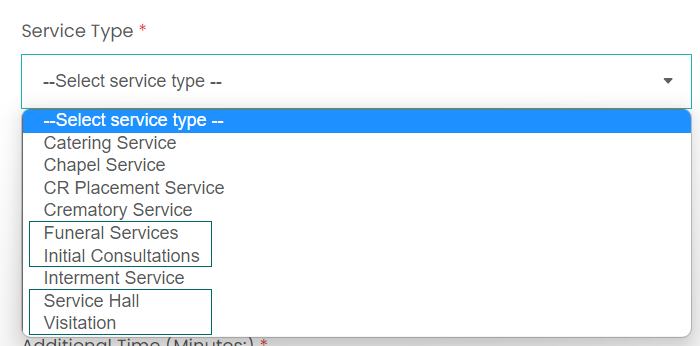
While this function is near identical to the cemetery / crematorium portal, there are some new Service Types unique to the funeral director portal: Funeral Services, Initial Consultations, Service Hall, and Visitation.
These new service types allow for more funeral home specific configurations to be made. For example, a Funeral Service type allows for resources such as hearses and funeral directors to be booked.
Manage Sites: Transaction Service Types
The service types above are then linked to transaction types on the Transaction Service Types page.
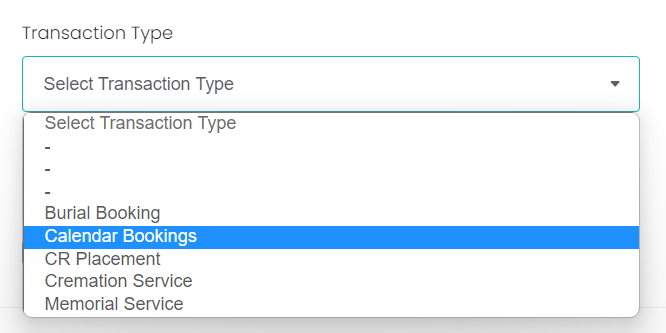
Funeral homes see a unique transaction type: Calendar Bookings. This is used as a general type for arrangements that can be paired with any of the funeral home specific service types mentioned earlier.
Manage Sites: Manage Screen Categories
The Manage Screen Categories section is where the screens and fields of information available when creating arrangements can be configured.
This section is split into four topics.
Transaction Screen Categories
This is where screen categories can be created and sequenced for each transaction type.
A transaction type will have two screens by default: Deceased & Common Information, where the deceased and authorising person can be entered and general information about them be given; and Resource Appointments, where the user can select a time and date for the appointment.
Optional screen categories can be added here. For example, a Funeral Home Requirements screen to capture extra information the funeral director needs.
Field Library
This is a library of fields that can be switch on and off, sequenced, and renamed. These fields will then form the content that is seen when creating arrangements.
Field Library Input Values
This page allows for field input values to be added and edited. Specifically, this is used to add and change the options available in drop-down selection lists.
Field Validations
The Field Validations page allows certain fields to be set as mandatory, or to have other rules applied to them. For example, a field could be given a Date validation, meaning it will require the user to enter a date into the field.