Manage Sites
On the Manage Sites page, you can manage functions related to your individual site's services.
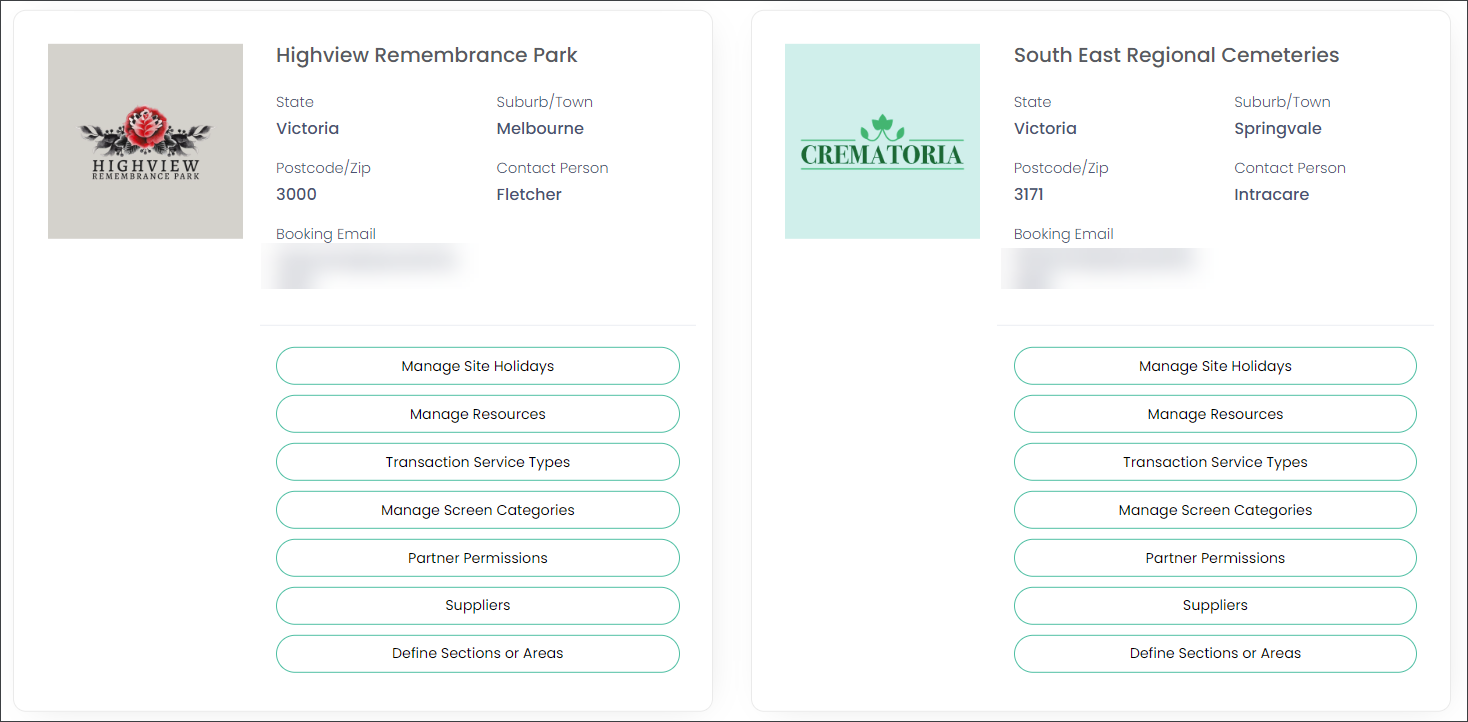
In our example we have one site which appears as:
-
Parent site - South East Regional Cemeteries
No configuration is required on the parent site.
-
Operational site - Highview Remembrance Park
Configuration is required on the transactional site.
You can upload a photograph or logo.
-
Click on the profile picture. This will open a drag and drop box where you can add your image.
There are a few items to configure on the operational site(s). Let us work through configuring each of these now:
-
Manage Site Holidays - configure public and other holidays to customize your resource appointment availability.
-
Manage Resources - add your resources like chapels, function rooms, crematorium etc.
-
Transaction Service Types - link a transaction to a service type, for example a burial booking to an interment service, or a cremation booking - a crematorium service.
-
Manage Screen Categories - configure the screens and fields that are visible in the Bookings portal.
-
Partner Permissions - make your site visible to chosen funeral directors and monumental masons.
-
Suppliers - connect with masons and florists to work with them on Care and Floral Programs.