(c) Copyright by OpusXenta Pty Ltd. All rights reserved.
Custom Job Fields
The Phase Info entries of custom job types have a unique screen accessed with the Configure Custom Job Fields button on the View Phase Info screen.
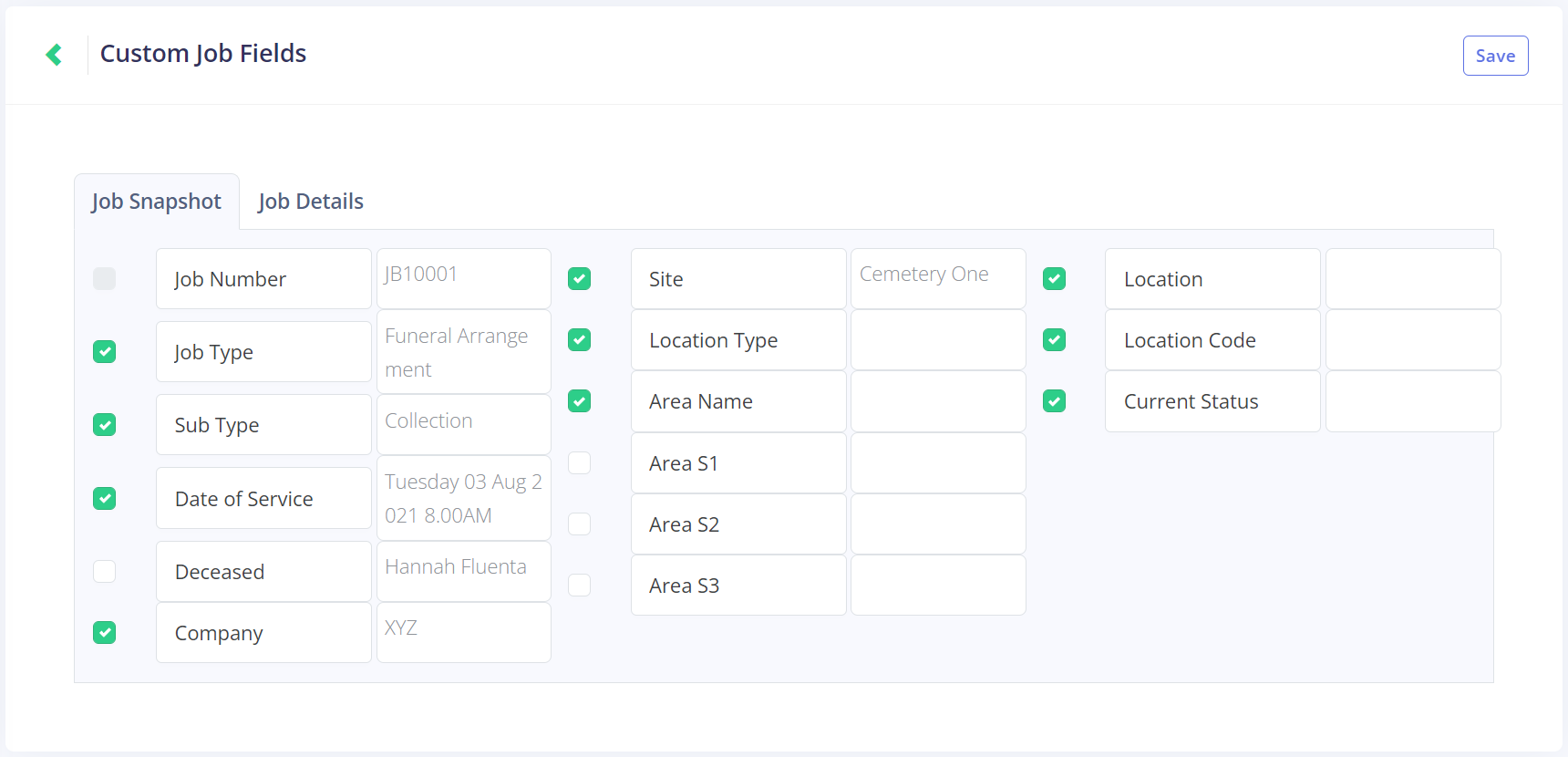
This opens the Custom Job Fields screen.
This function allows the fields of information of the Job Details page to be altered, allowing custom jobs to exclude fields of information that are irrelevant to their type.
For example, a vehicle maintenance checklist wouldn't need to include a Deceased field.
The Job Snapshot tab will alter the fields visible on the Job Snapshot tab of any jobs with this Phase Info code. The fields shown below can be switched on or off:
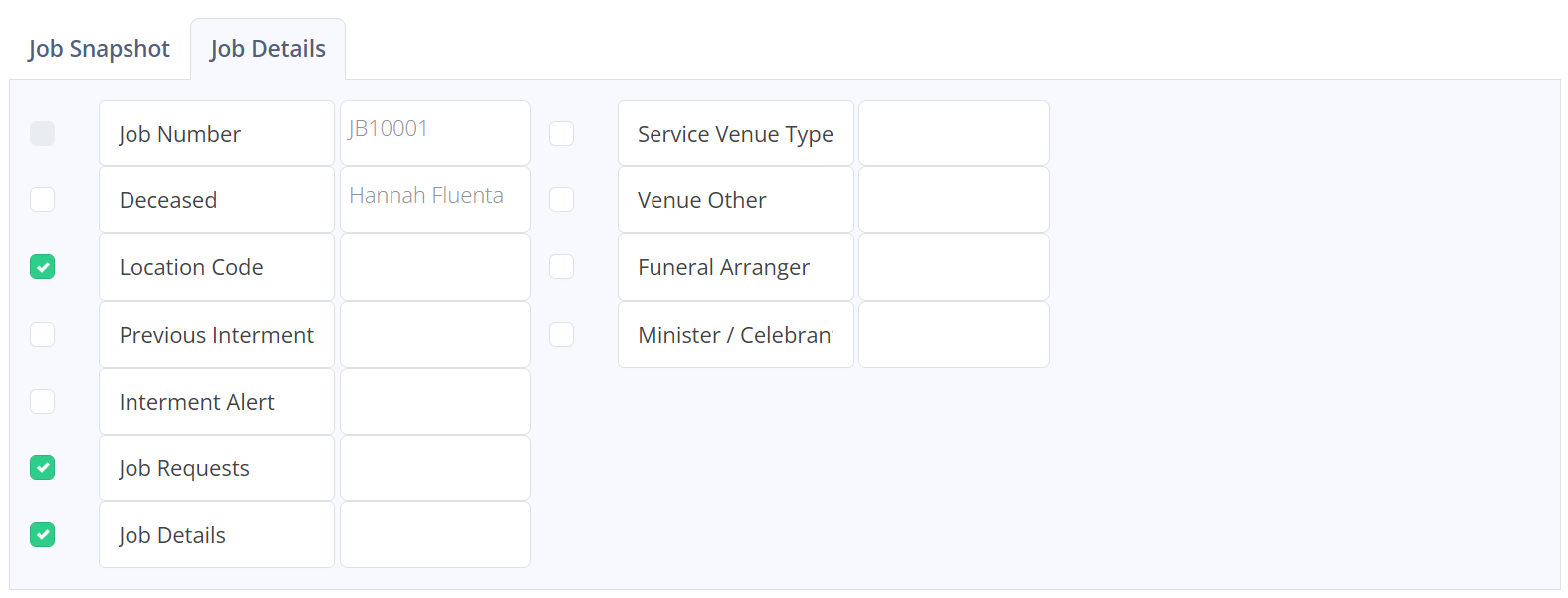
The Job Details tab will alter the information seen on the Job Details tab of jobs with this Phase Info code. The fields shown below can be switched on or off:
Once the selections are complete, click Save.
This will take you back to the View Phase Info screen, and the following pop-up message will display.