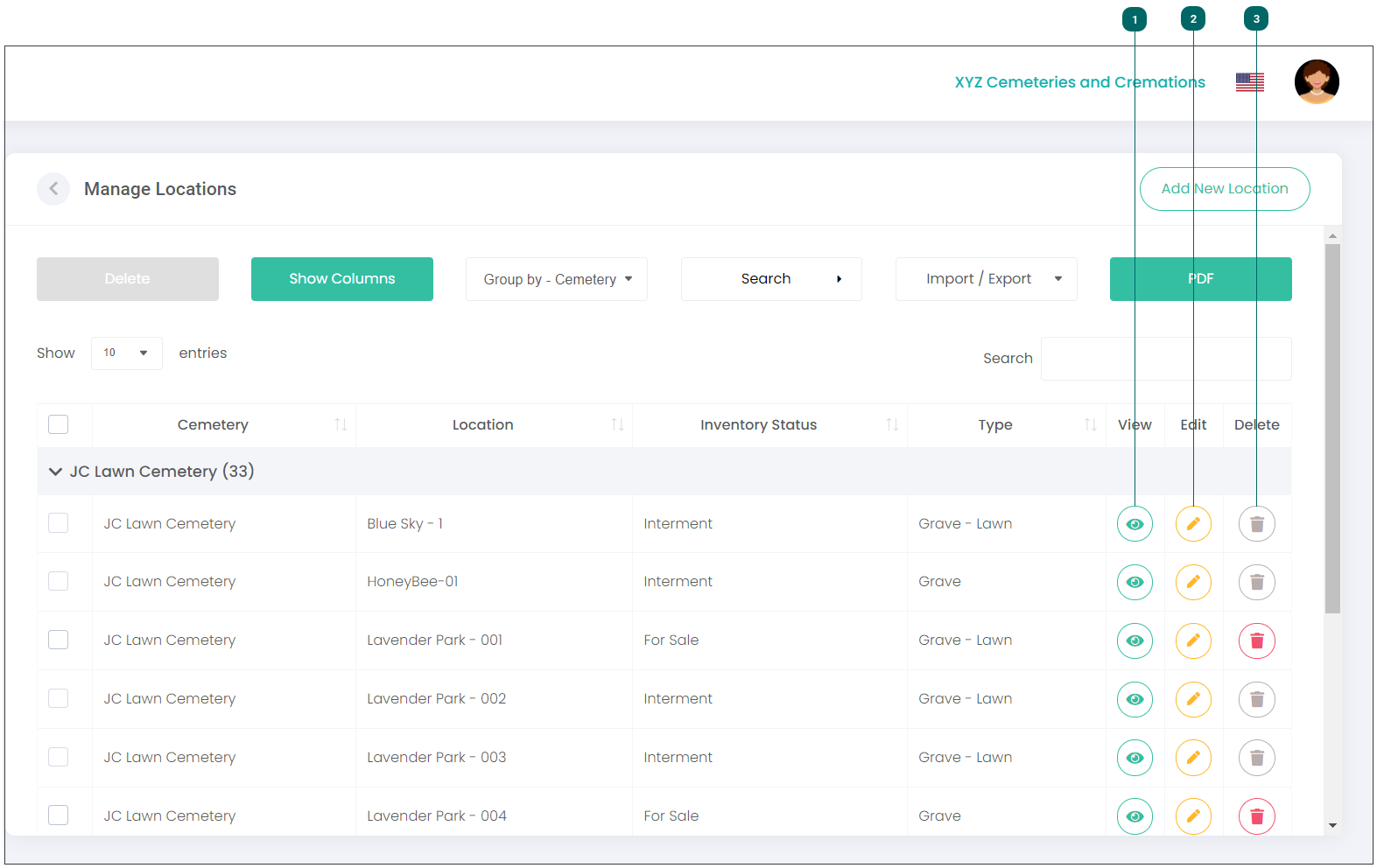
To delete a record, click on the Delete icon next to the location record you wish to delete.
Note:
You will not be able to delete a location if it is attached to a deceased record. In this instance, the Delete icon next to the location record will be greyed out.
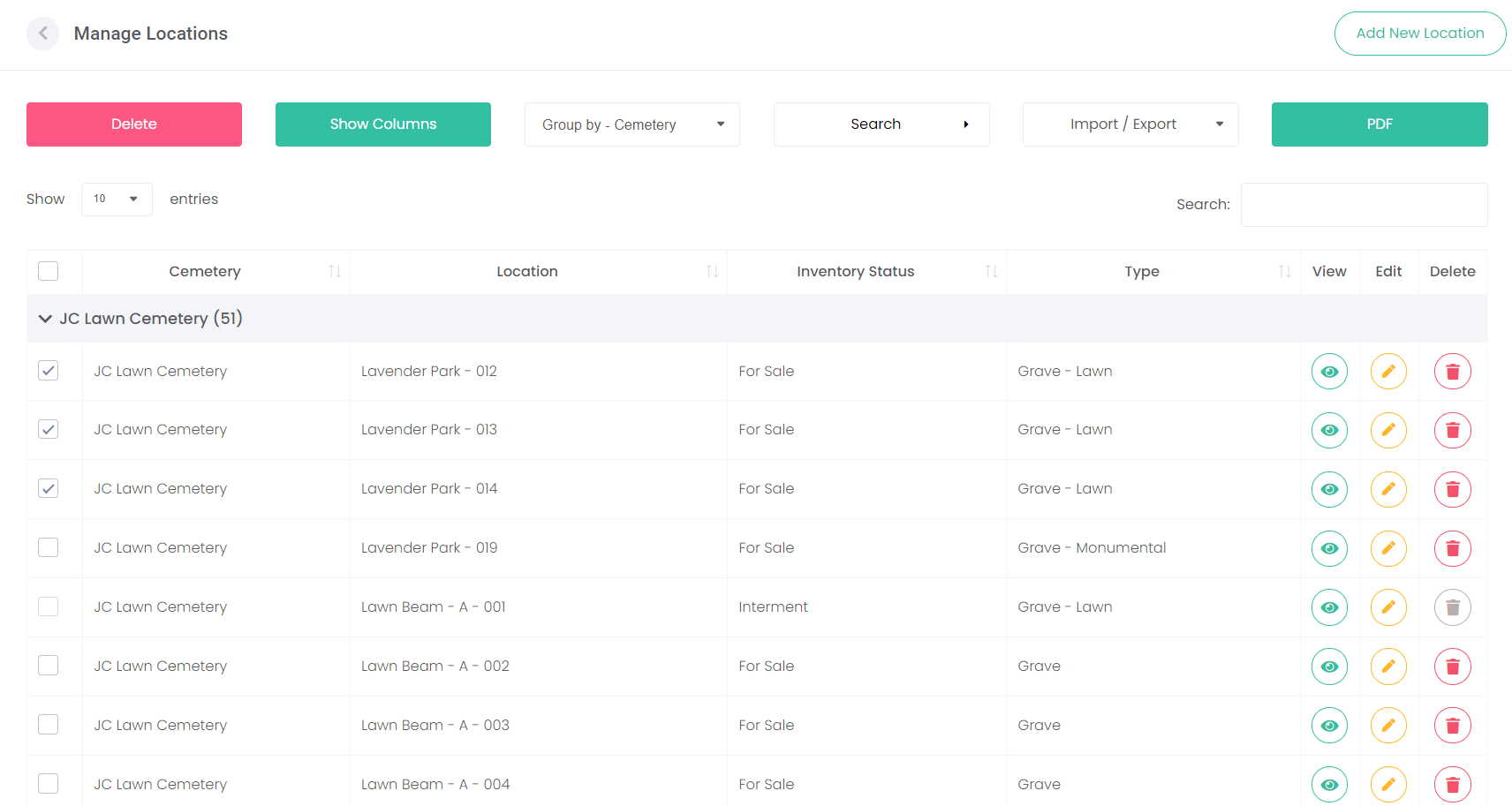
You can delete multiple records at a time, by clicking on the checkboxes next to the records you want to delete (see example below) and then clicking on the red Delete button.
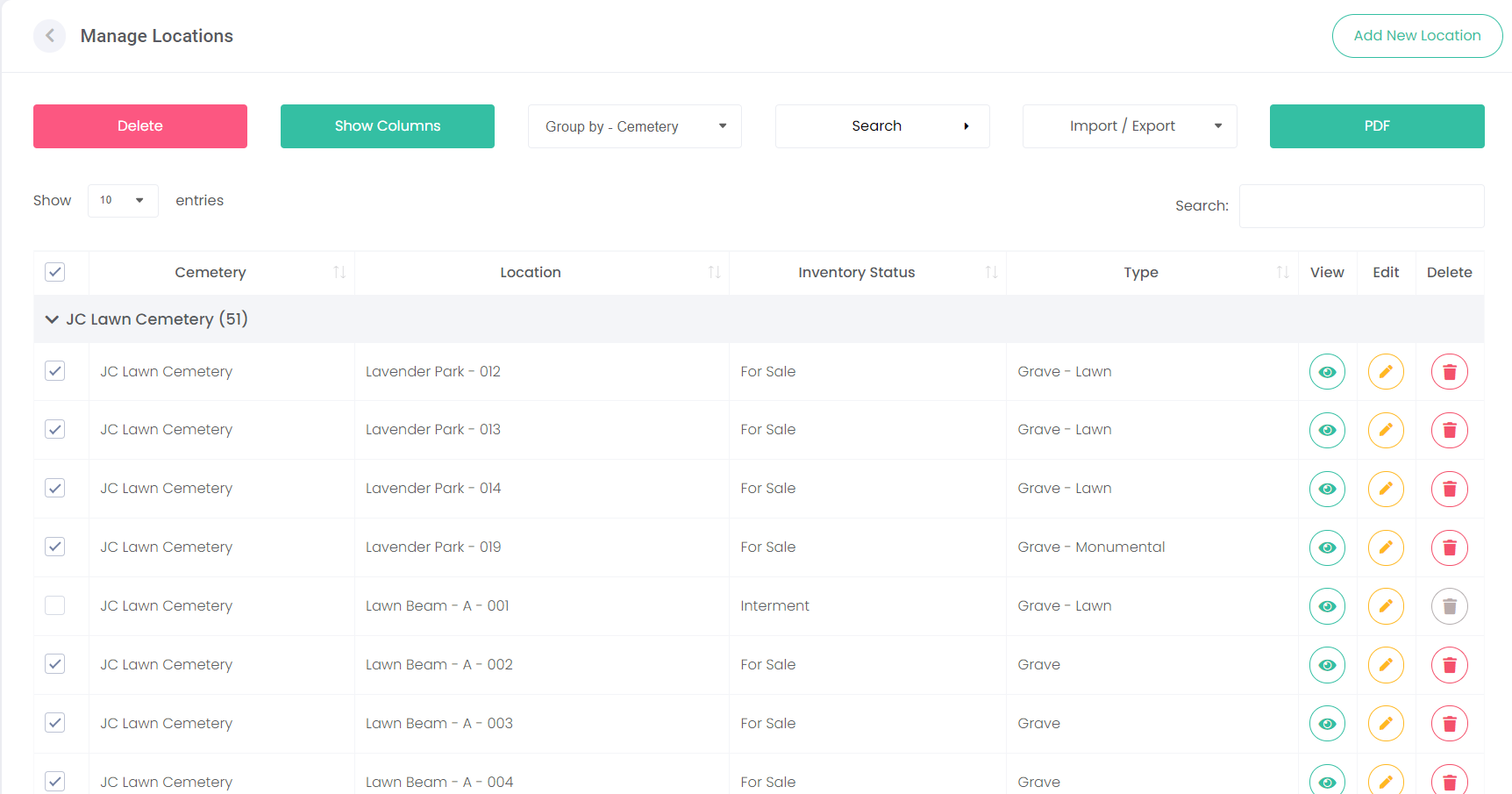
Alternatively, you can click on the main checkbox (under Show entries) to select all records, and then click the Delete button.
Note:Please use this checkbox with caution, as all records will be deleted.
Remember, locations attached to a deceased record cannot be deleted (the delete icon will be greyed out).