(c) Copyright by OpusXenta Pty Ltd. All rights reserved.
Key Features
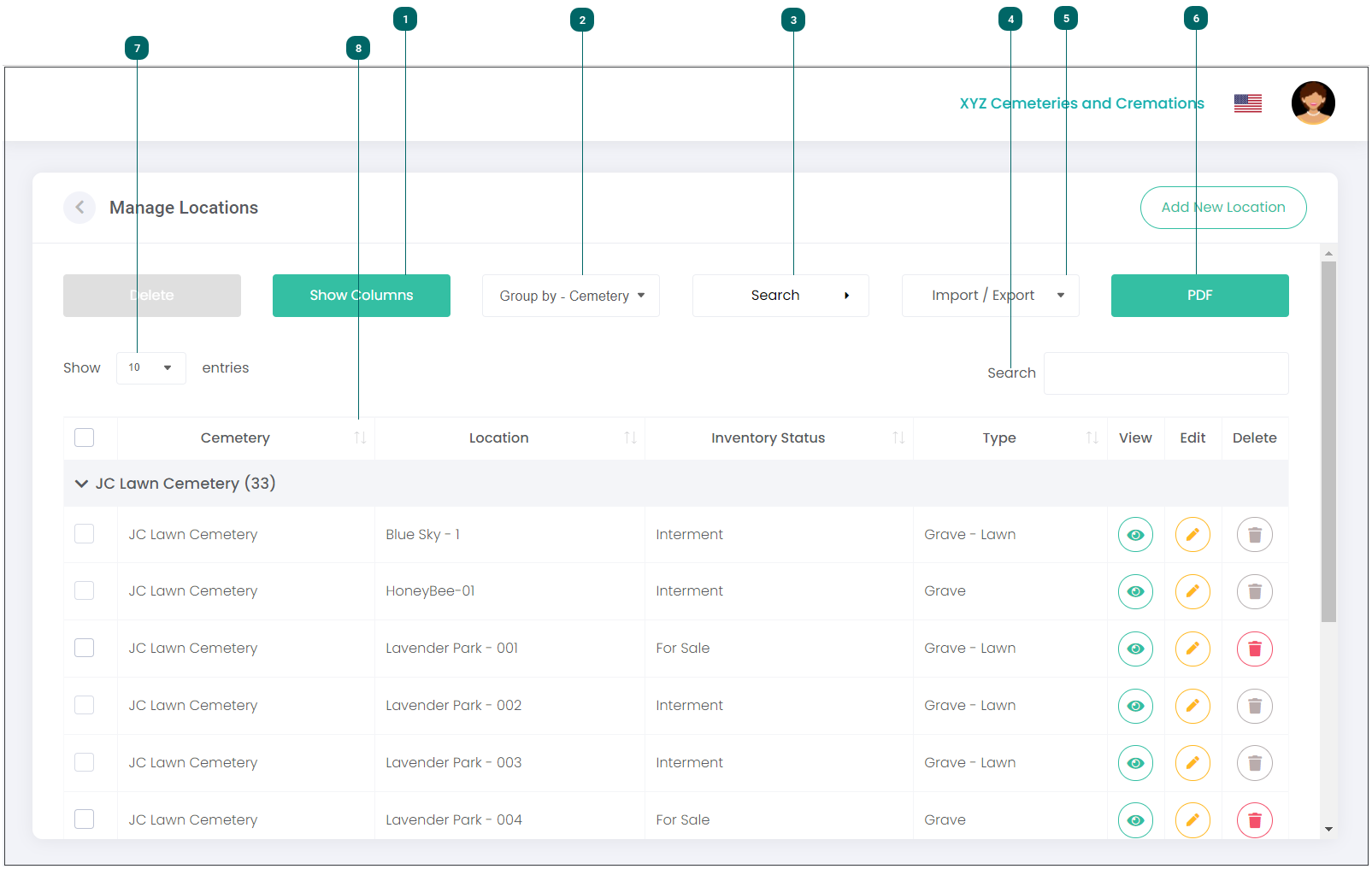
Let’s go through some of the key features on this screen.
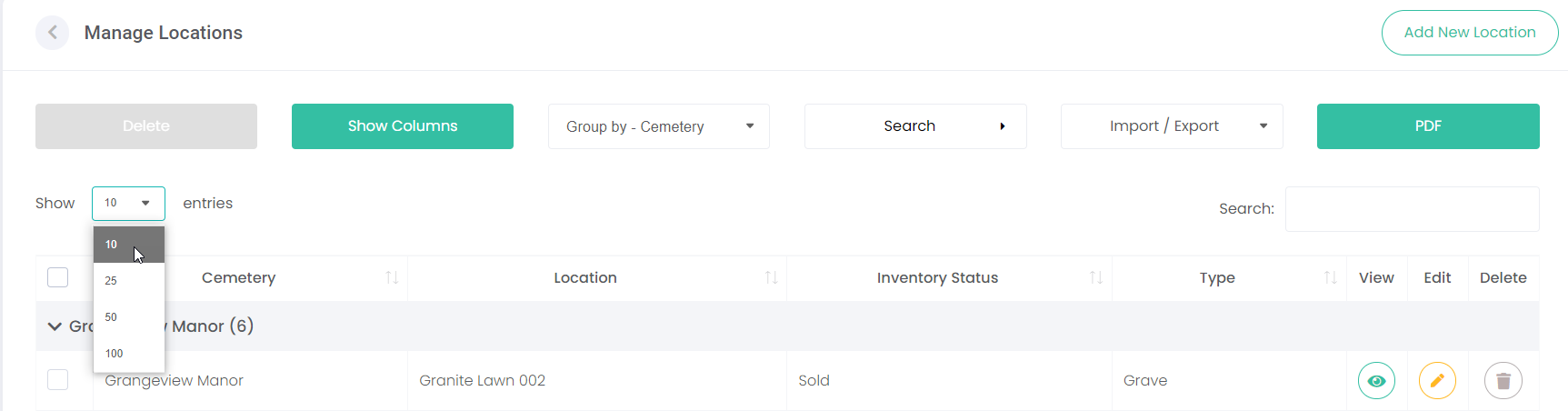
Show Columns
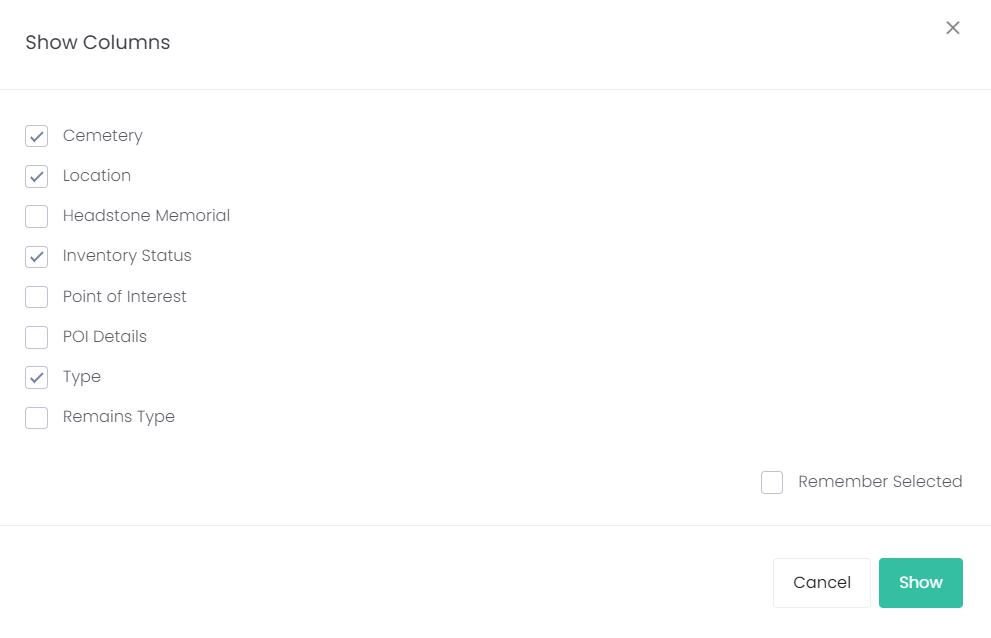
Select which columns you want to display on the screen, by clicking on Show Columns. Simply select / deselect the columns you want to show. Choose from:
Cemetery
Location
Headstone Memorial
Inventory Status
Point of Interest
POI Details
Type
Remains Type
Click Save.
You can also tick the Remember Selected checkbox and the system will remember which columns to display when you next log in.
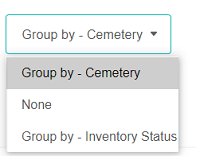
You can group location records by Cemetery, Inventory Status or None by selecting the relevant option in the Group By drop-down list.
For example, if you click on Group By - Inventory Status, the list will display locations grouped by status i.e., all For Sale locations will be grouped together, all Interment locations will be grouped together, and so on.
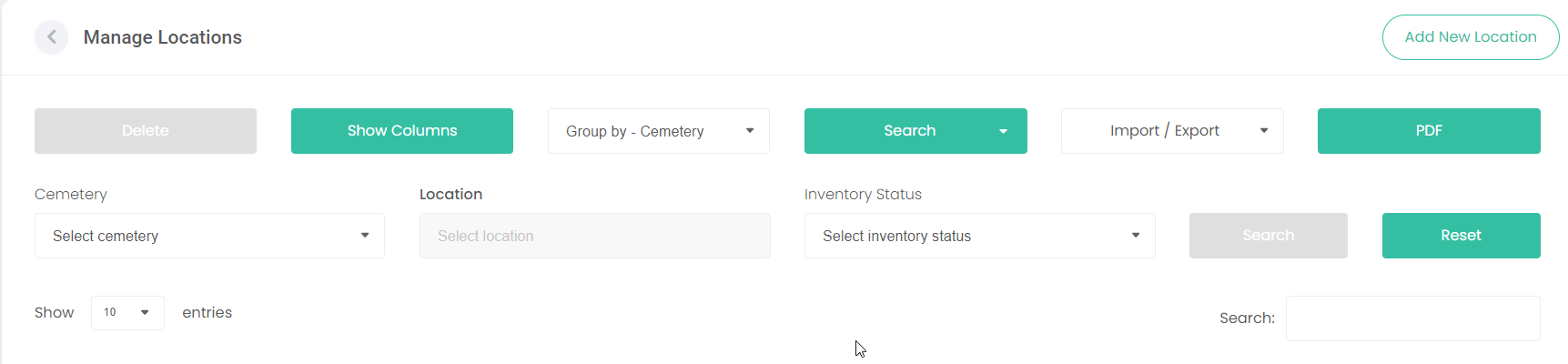
You can search for a location by clicking on the Search button (3) and using the fields below this to filter by Cemetery, Location or Inventory Status (these fields will display once you’ve clicked on Search). Click Search (to the right of these fields) when complete or Reset to clear the search. TIP: If searching for a specific location, you can start typing the location name in the Location field instead of scrolling through the entire list.