Profile, User, and Team Planning
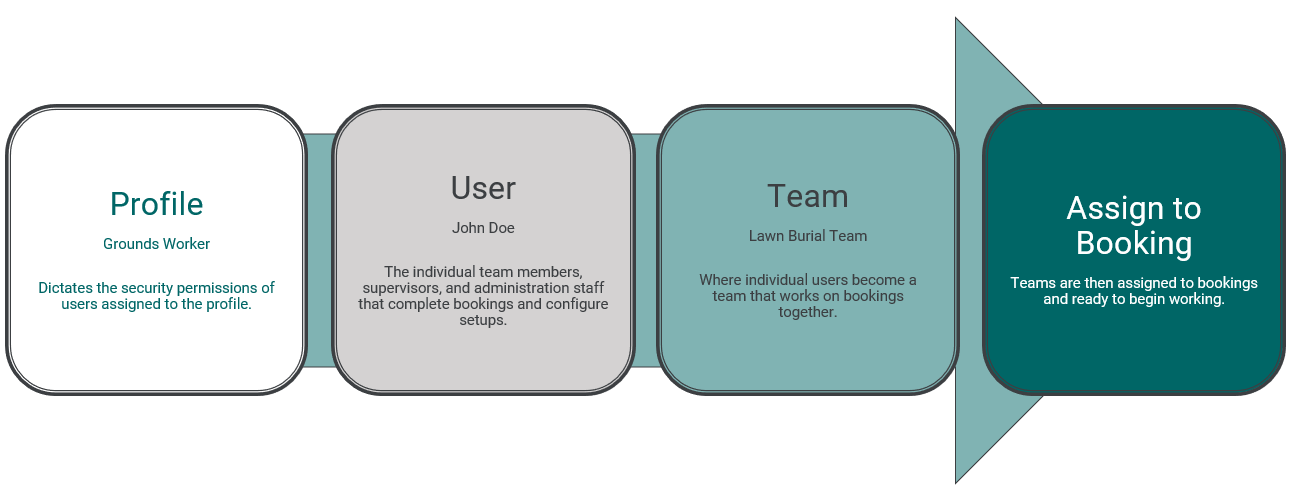
Task Manager profiles are used to assign users role-specific security and access permissions.
Once profiles are created, administrators can begin adding new users and assigning them their profiles.
Once the users are created, it is then time to organise them into teams.
A team is a group of users that will be assigned to jobs, and undertake phases and tasks together.
A pictorial example is provided below to explain the links between profiles, users, and teams:
During setup, cemeteries will need to:
-
Setup their profiles in Profile Management so that new users can be assigned according to the permissions the cemetery desires for them.
-
Setup their teams in Team Management who normally work together to complete certain processes or stages of a process.
-
Once their teams have been created, they can use the Assign Team by Default to Jobs function to automate and simplify the assignment processes.