(c) Copyright by OpusXenta Pty Ltd. All rights reserved.
Phase Completion
This section will guide supervisors through the process of completing a phase once all tasks have been completed.
For a rundown of the process of completing tasks, and an explanation of the different task statuses, refer to the Task Completion section of this guide.
Within Task Manager, the supervisor or user with appropriate permissions must review and complete each phase before staff are able to proceed to the next phase and task sequence.
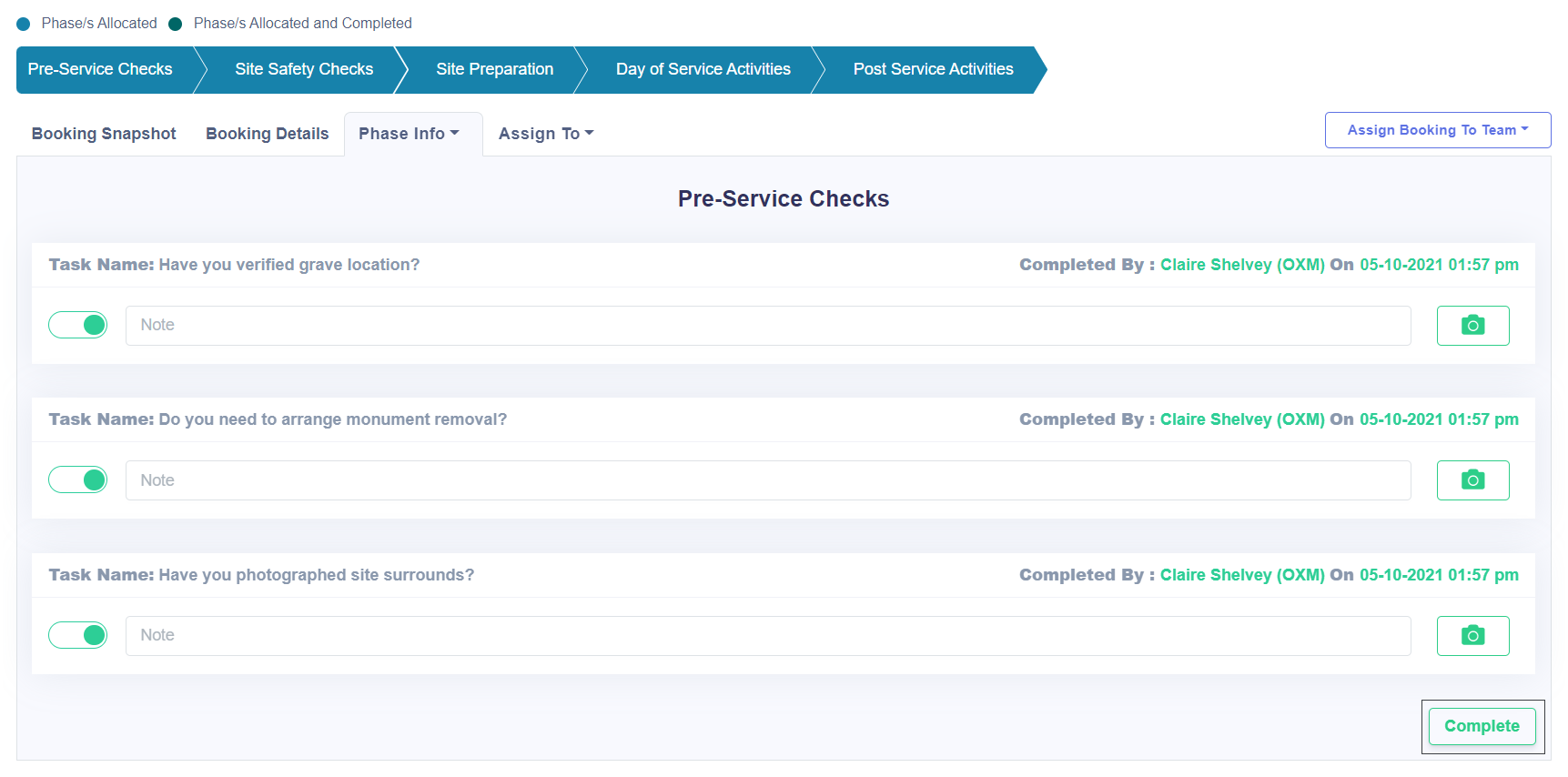
A supervisor or user with the appropriate permissions can see each task, along with which staff completed it and the date / time it was completed.
The supervisor's Phase Info screen shows the sliders as green as the tasks are completed.
If satisfied that everything is in order, the supervisor will complete the phase.
Once all tasks are complete in the phase the Supervisor can mark the phase as complete by clicking the Complete button at the bottom of the screen.
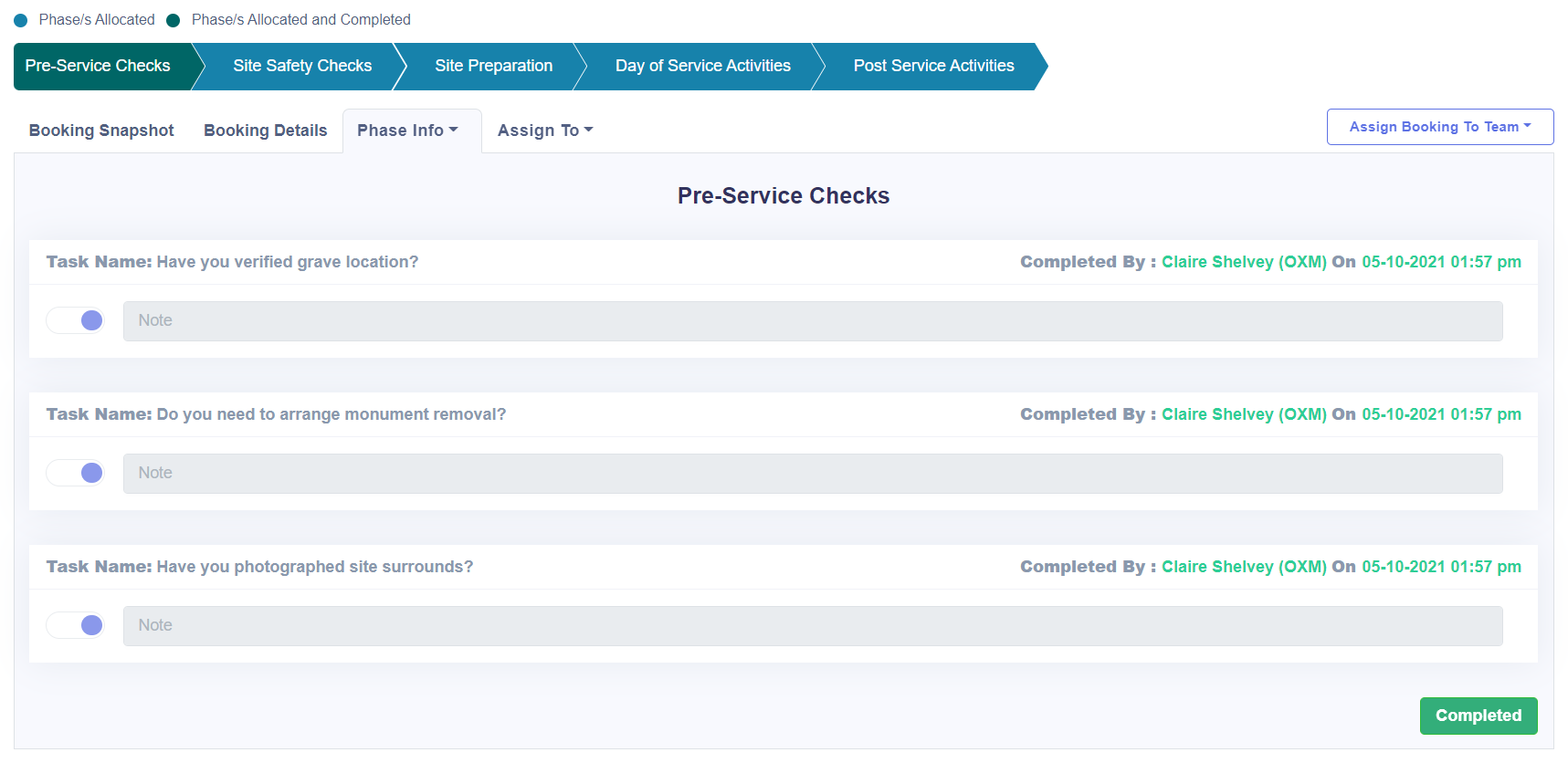
The sliders will turn purple and the Complete button will change to Completed.
This phase is now complete, and the team can move to the next phase.
Once completed, the tasks in that phase can no longer be edited or changed.