(c) Copyright by OpusXenta Pty Ltd. All rights reserved.
Location Registry
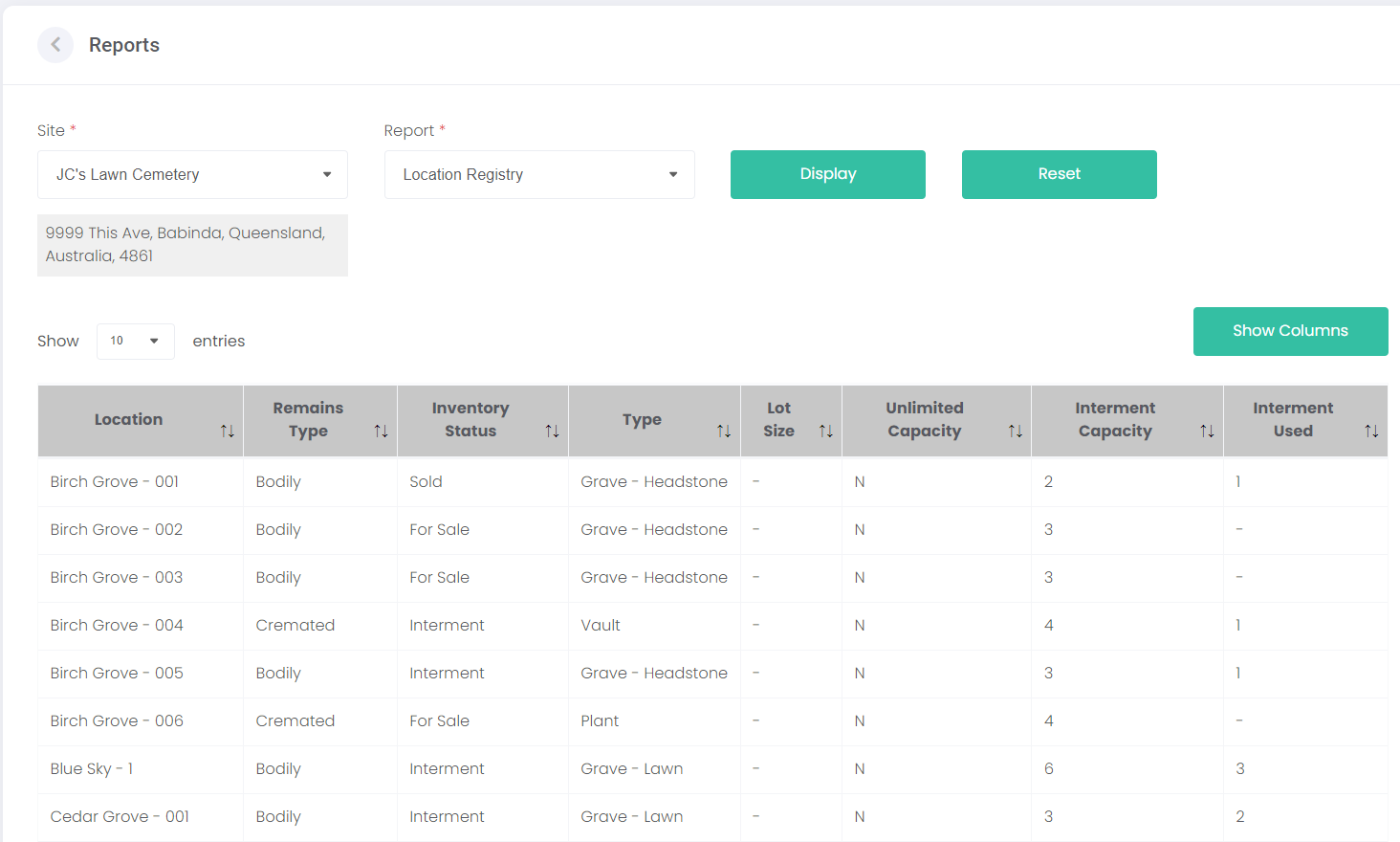
To print a Location Registry report, choose a Site and select Location Registry from the Report list. Click Display to generate a list of all locations from that site.
The locations are displayed on screen.
The displayed columns of information in the listed locations above can be changed using the Show Columns button.
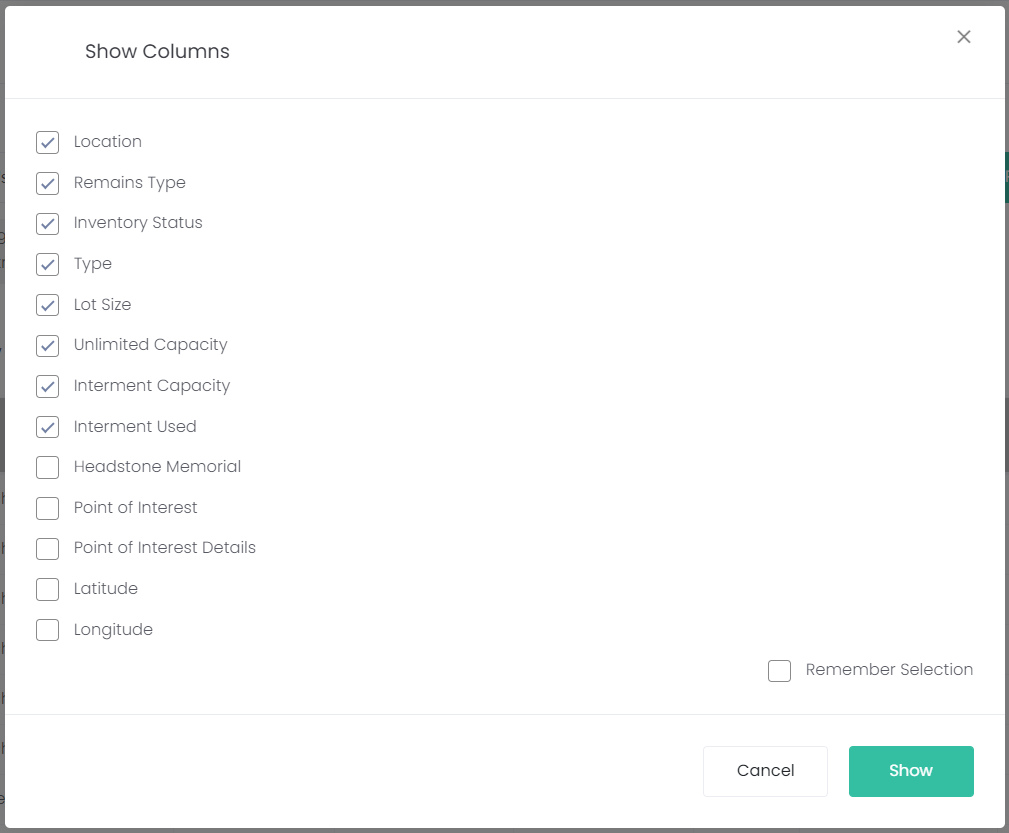
Clicking Show Columns opens the following screen. Each ticked box represents a column of information that will be visible in the location registry report. Click Show to confirm your selection. If Remember Selection is ticked, the columns will be displayed the same way each time the software is used.
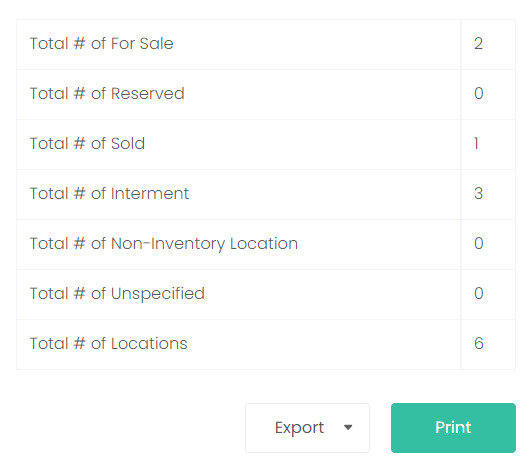
Below the listed locations, a summary of the report information is displayed:
The total number of locations available for sale.
The total number of sold locations.
The total number of reserved locations
The total number of locations with interments
The total number of non-inventory locations
The total number of unspecified locations
And the total number of all locations
At the bottom of the page, the Export button creates a PDF or CSV file from the above report information. The Print button creates a print-out of the listed locations and the information about the total number of each type of location.