(c) Copyright by OpusXenta Pty Ltd. All rights reserved.
Interment Registry
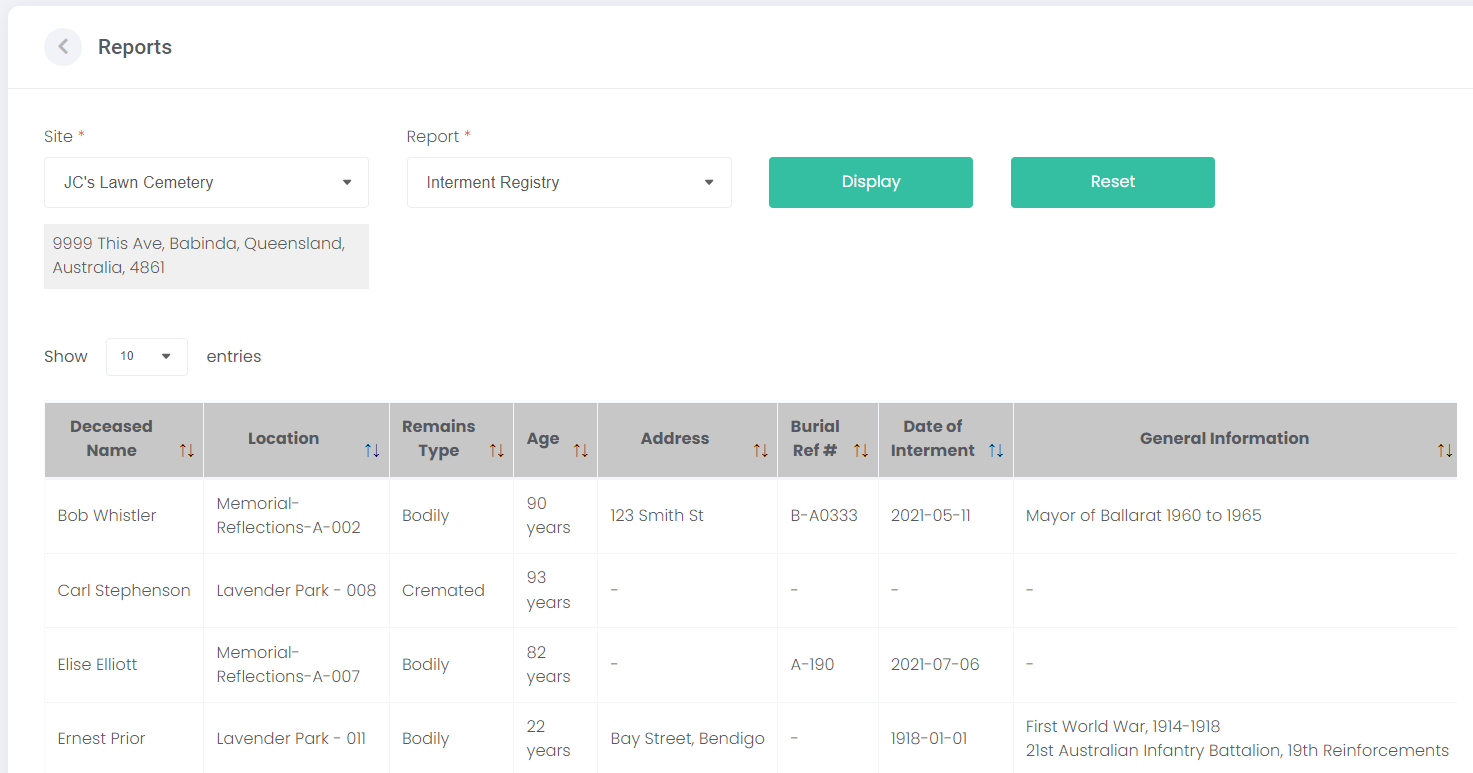
To print an Interment Registry report, choose a Site and select Interment Registry from the Report list. Click Display to generate a list of interment records from that site.
The interments are displayed on screen.
Below the interment records, the Total # of Interments is shown.
At the bottom of the page, the Export button creates a PDF or CSV file from the above report information. The Print button creates a print-out of the listed interments, and shows the total number of interments.