(c) Copyright by OpusXenta Pty Ltd. All rights reserved.
Job Details - Supervisor
Under the Status column of the Job Management page, administrators and supervisors will see the status as a hyperlink.
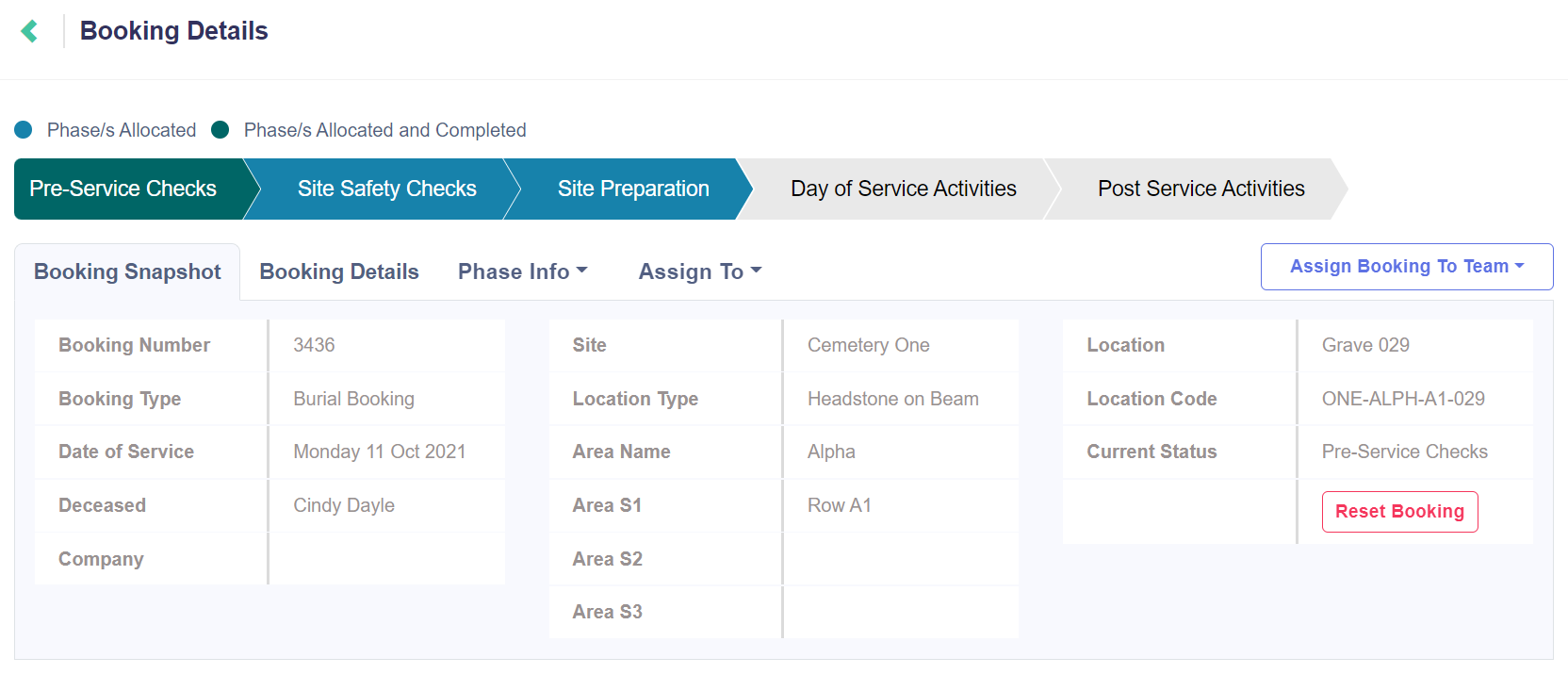
Clicking on the hyperlink will open a phase allocation version of the Job Details page, which displays the job with a pipeline view of the phases.
When accessed through the Status hyperlink, the Job Details page is designed to open from the Job Management page in a new browser tab so that supervisors can open, review and manage multiple jobs at one time.
The job features can be accessed from this new tab, including the Job Snapshot and Details screens, and the Phases / Tasks and Team / User Assignments.
The progress bar is a visual indicator for the supervisor on the status of the job.
The phases highlighted in green have been allocated and completed, those in blue have been allocated but not yet completed, and those in grey have yet to be allocated.