(c) Copyright by OpusXenta Pty Ltd. All rights reserved.
Response Summary
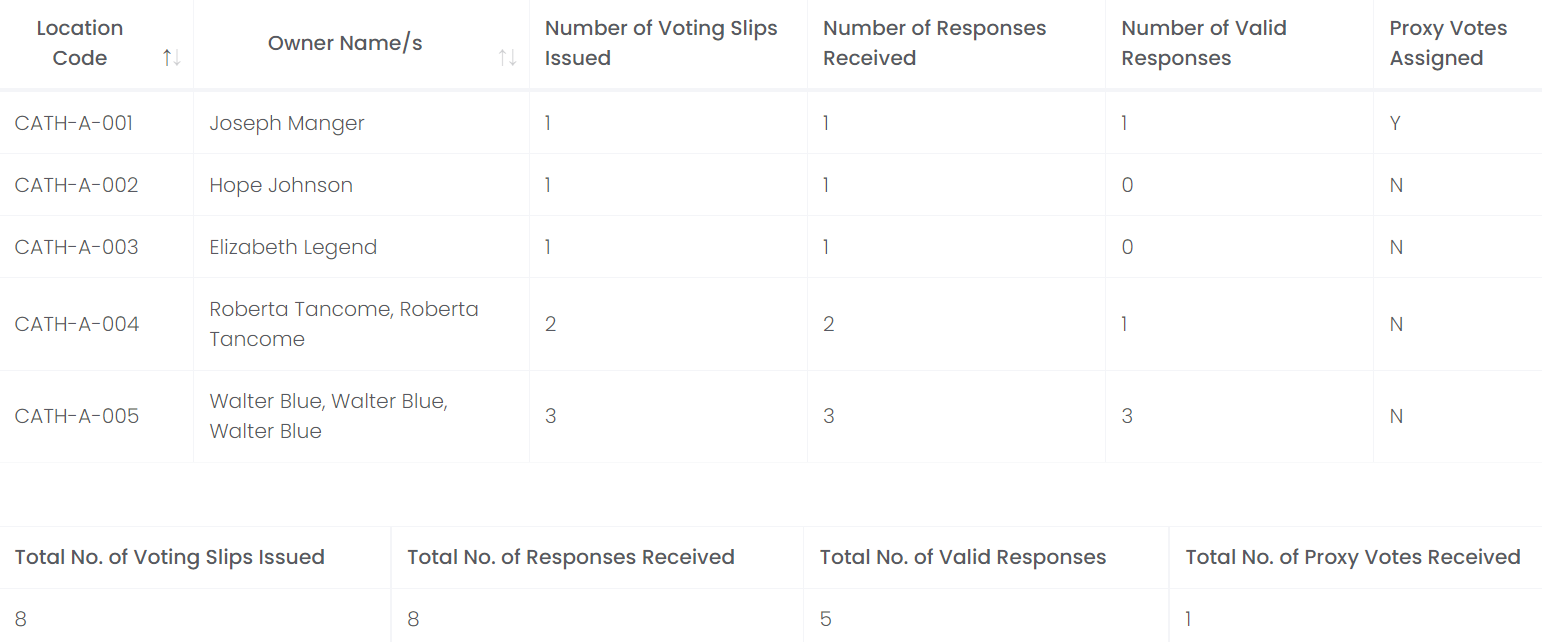
The Response Summary Report lists all responses for each location where voting slips have been issued and tallies the responses in an easy-to-read format.
The report can be viewed within byondcloud, exported to excel, downloaded as a PDF, or printed as necessary.
From the Reports section, choose an AGM Year and the Response Summary report, then click Display.
A list of the vote slip responses will display below with the following:
Location Code
Owner Name /s
Number of Voting Slips Issued
Number of Responses Received
Number of Valid Responses
Proxy Votes Assigned
The following information will be tallied below:
Total Number of Voting Slips Issued
Total Number of Responses Received
Total Number of Valid Responses
Total Number of Proxy Votes Received.
To view a copy of the report in Excel, click on Export Excel on the bottom right-hand side of the page.
A copy of the report will download to your device. Click on the file to view.
The editable Excel copy shows the report details.
Alternatively, to print or view a PDF copy of the Responses, click on the Print button on the right-hand side of the page.
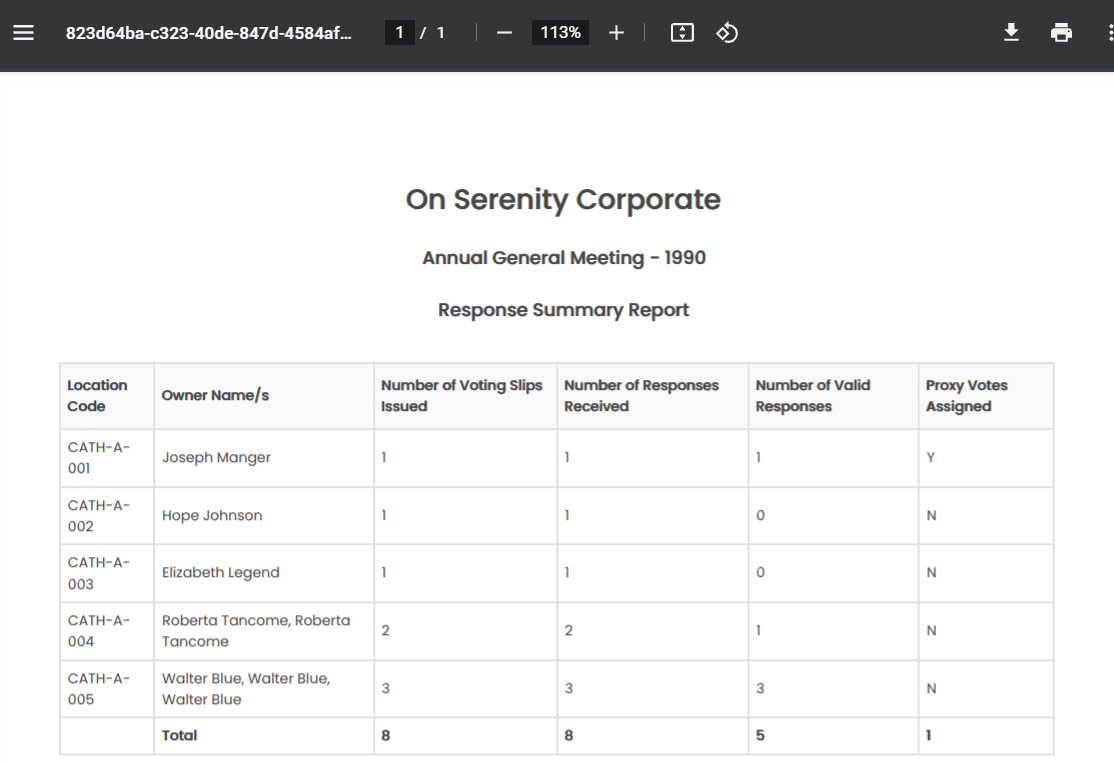
A pop-up window displays with a PDF version of the report.
To download the report, choose the Download icon.
To print the report, click on the Print icon.
To exit from the pop-up window, click on the X.
To return back to Proxy Manager, click on the arrow next to Reports.