To properly display this page you need a browser with JavaScript support.
Instructional Guide
×
Menu
Search
Search
MapMakr
Create a New Map Layer
Edit a Map Layer
Previous page
Next page
Print version
(c) Copyright by OpusXenta Pty Ltd. All rights reserved.
To properly display this page you need a browser with JavaScript support.
Edit a Map Layer
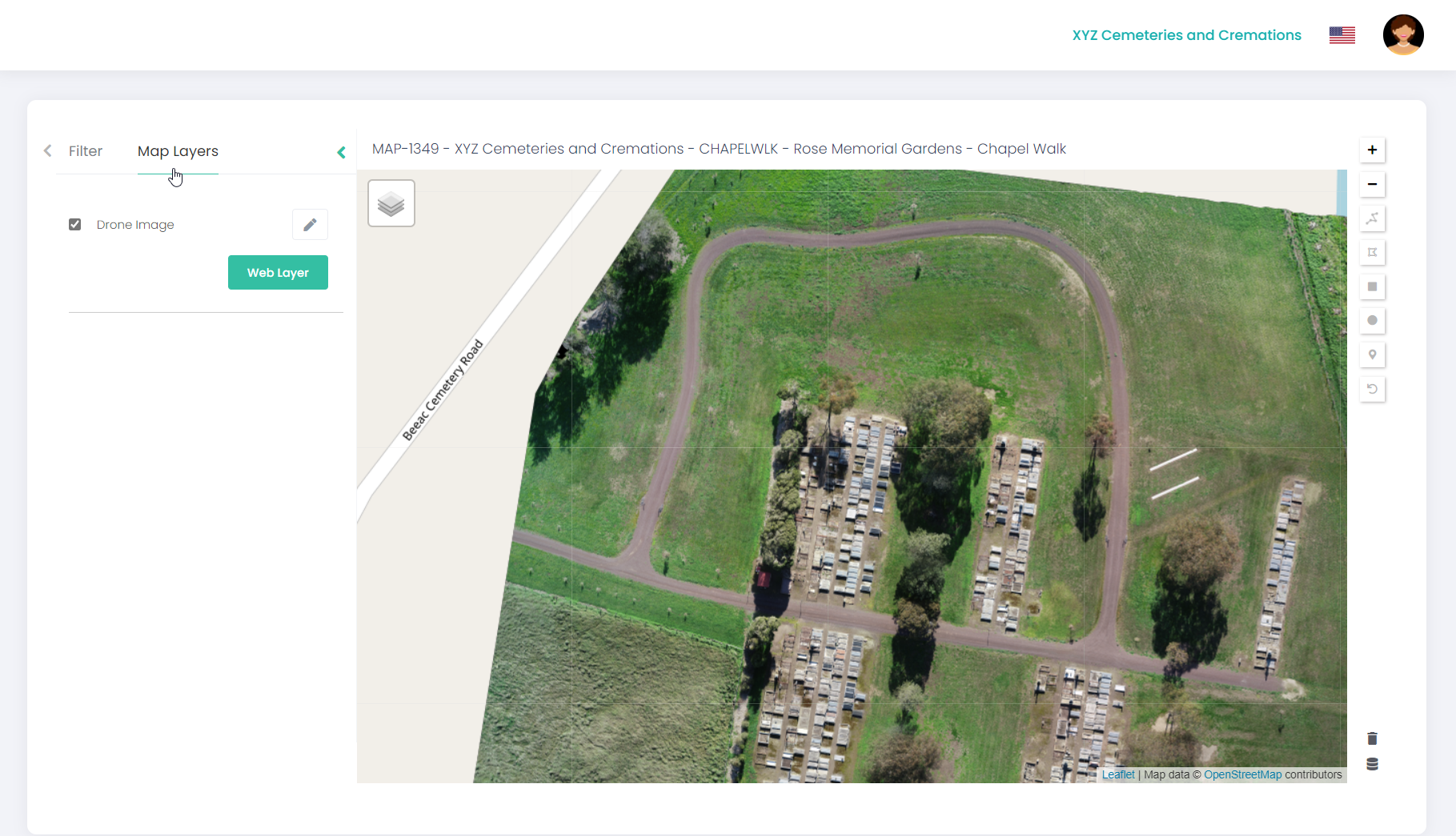
To edit an existing map layer on a project:
Open the map project and click on
Map Layers.
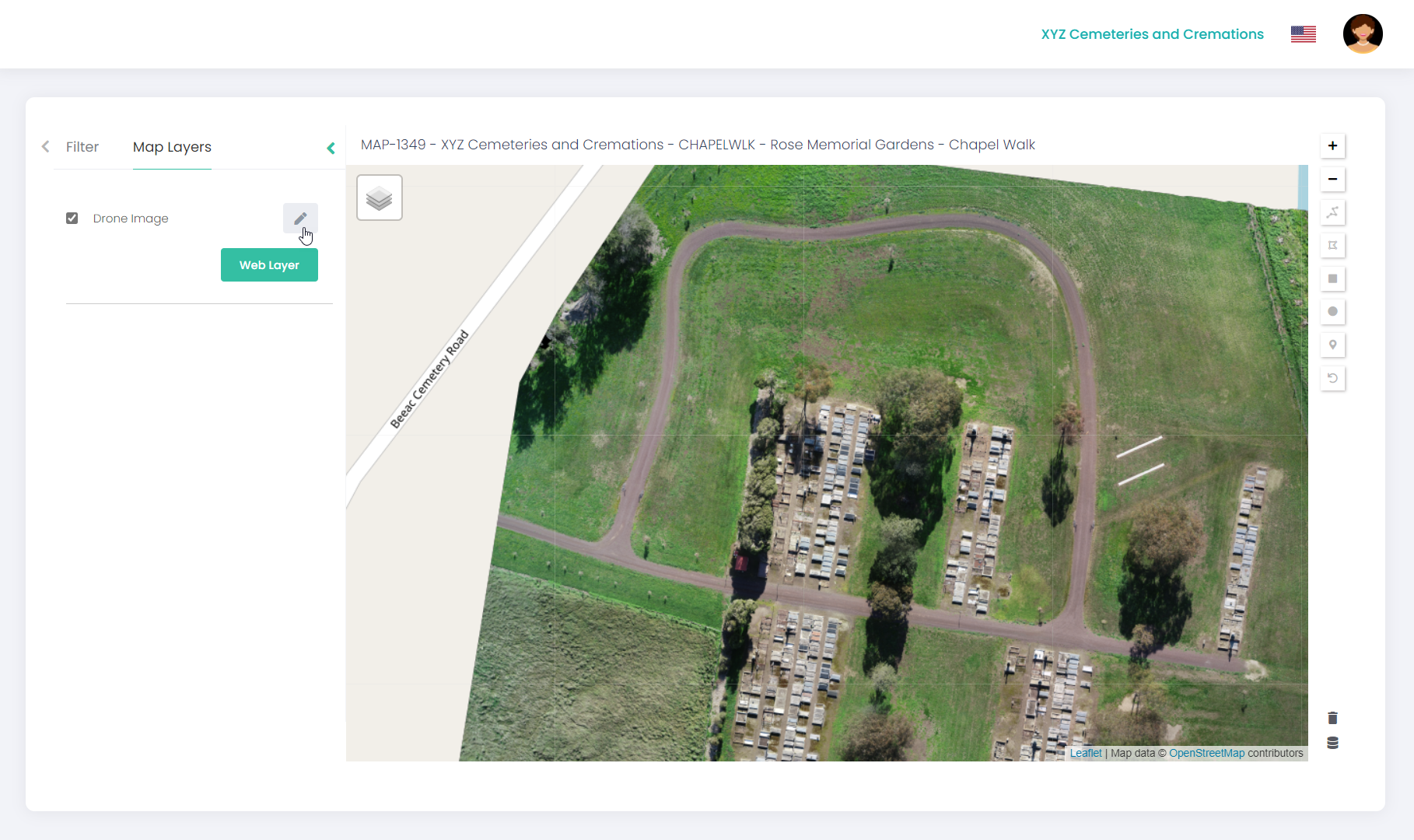
Click on the
Edit
icon.
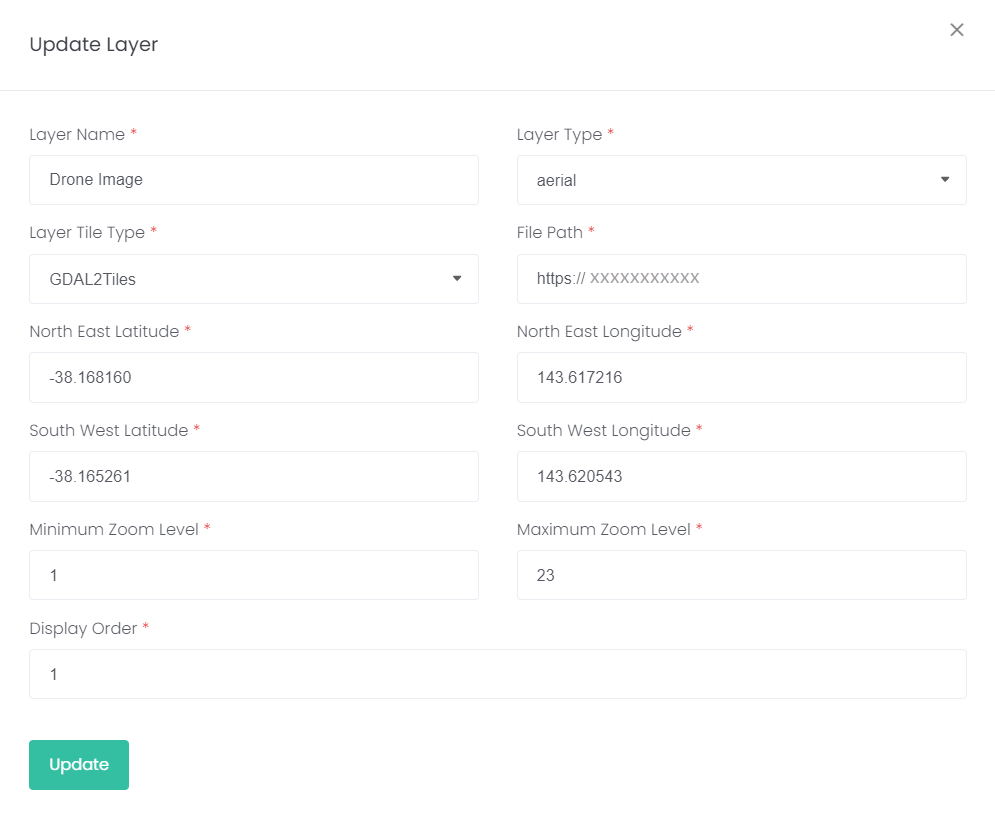
Edit
the layer information and click
Update
.
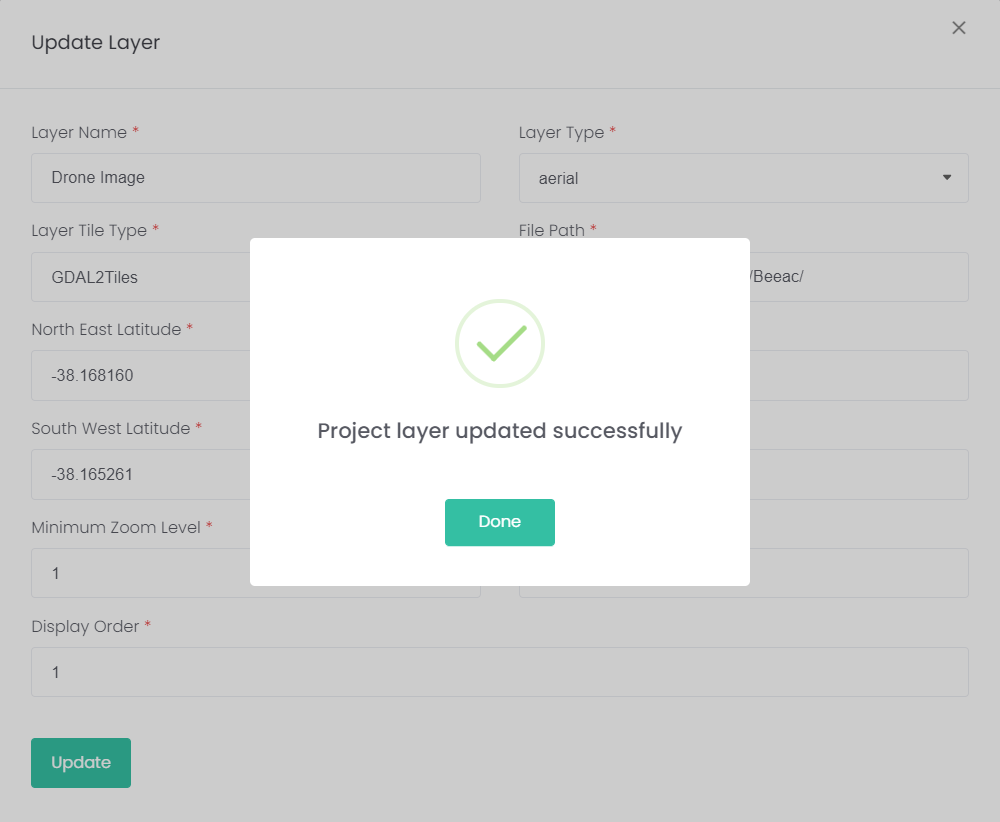
Click
Done
.