(c) Copyright by OpusXenta Pty Ltd. All rights reserved.
Catalog Settings
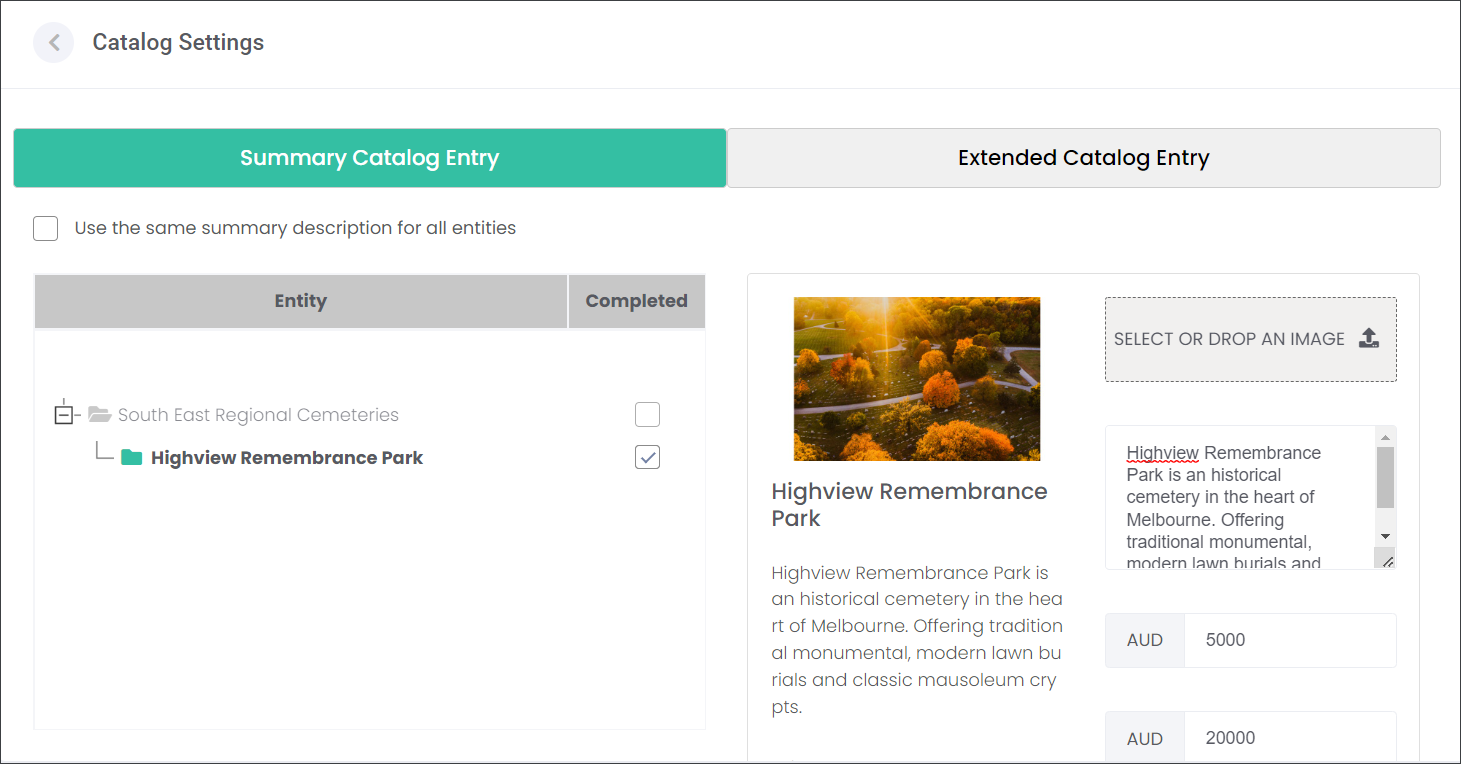
On the Catalog Settings page users can create an overview of their offering with imagery, wording, and broad price ranges that will be showcased on their website.
The users can make decisions about what and how this will be presented on their website using two tabs:
1. Summary Catalog Entrywhere they create a brief description of their branch/site, capture board price range, upload a main image and select what services they provide.
2. Extended Catalog Entry where they enter more detailed information about their branch/site like additional images, videos and contact email where sales leads will be directed.