(c) Copyright by OpusXenta Pty Ltd. All rights reserved.
Booking Status Mapping
The Booking Status Mapping area of byondcloud links the statuses of your bookings to byondpro.
Once the sync to byondpro has been turned on, visit Manage Accoount > byondpro Sync Configurations and choose the arrow next to Booking Status Mapping.
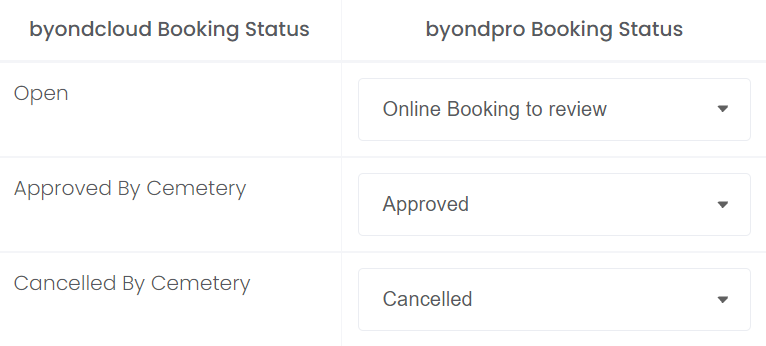
The byondcloud Booking Statuses of Open, Approved By Cemetery, and Cancelled by Cemetery appear on the left-hand side.
Under the byondpro Booking status, click on the drop-down arrow to be presented with a list of statuses in your byondpro.
Choose the most appropriate byondpro status to map to each byondcloud Booking Status.
For example, we have mapped the Open byondcloud Booking Status to Online Booking to review.
All other byondpro statuses not mapped will appear as Other to the Funeral Director.
Once completed, press Save on the right-hand side of the page.