(c) Copyright by OpusXenta Pty Ltd. All rights reserved.
Add Existing User
To add an existing user:
Choose Add New User on the top right-hand side of the screen.
This option can be used where a user already exists in byondcloud, but they are registered in a different capacity.
For example, the user exists as a funeral director user and you now need to add them within the cemetery account as a user with a different business email address.
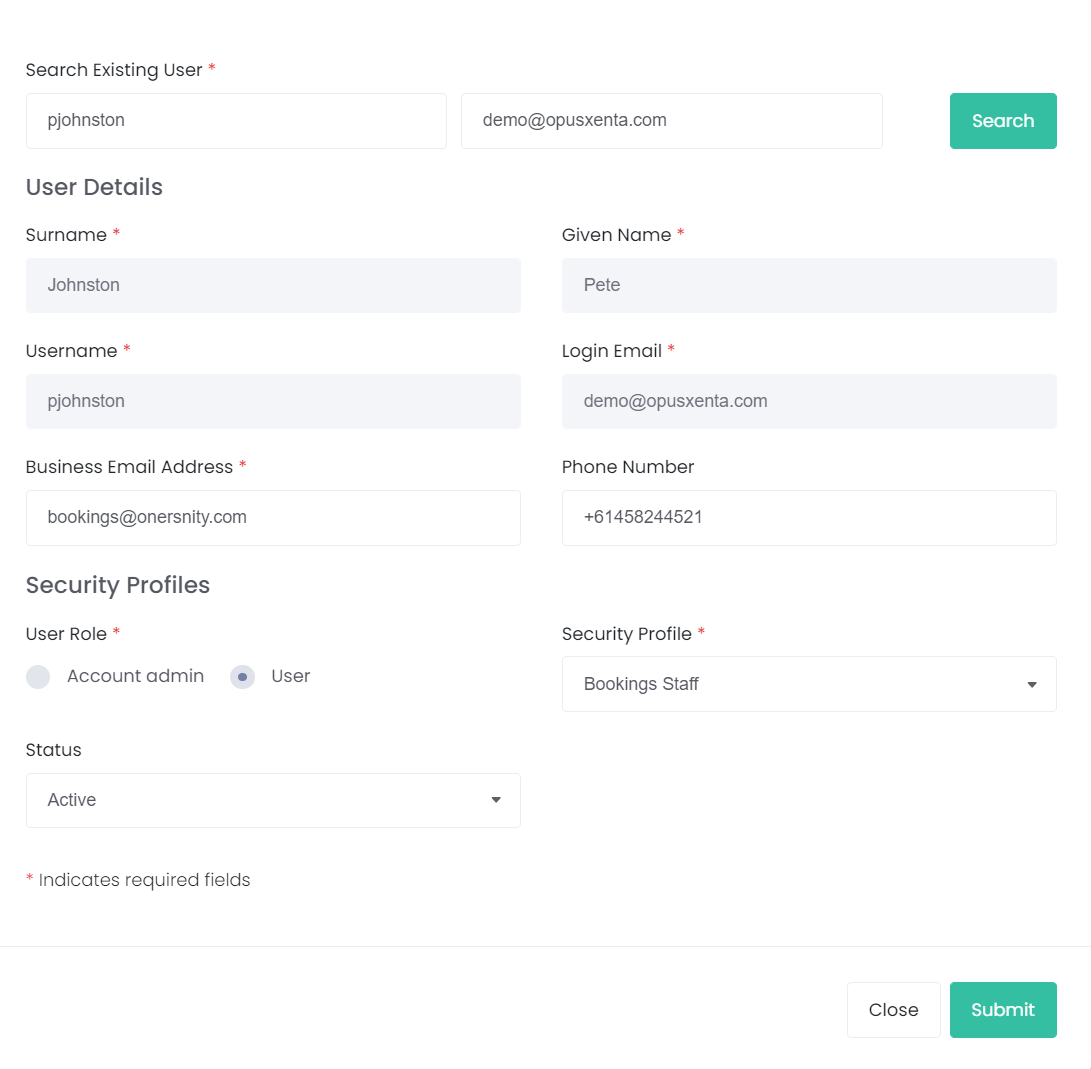
Users will be required to add the existing username and login email of the user, then press the Search button.
If the details are correct, the following fields will populate:
Surname
Given Name
Username
Login Email
Add in the remaining details then press Submit on the bottom right-hand side of the page.