This section of this guide will discuss global settings used across the below byondcloud applications.
-
-
-
-
Funeral Director Application
-
-
Monumental Mason's Application*
For information regarding
Task Manager, you can go directly to the
Task Manager section of this guide.
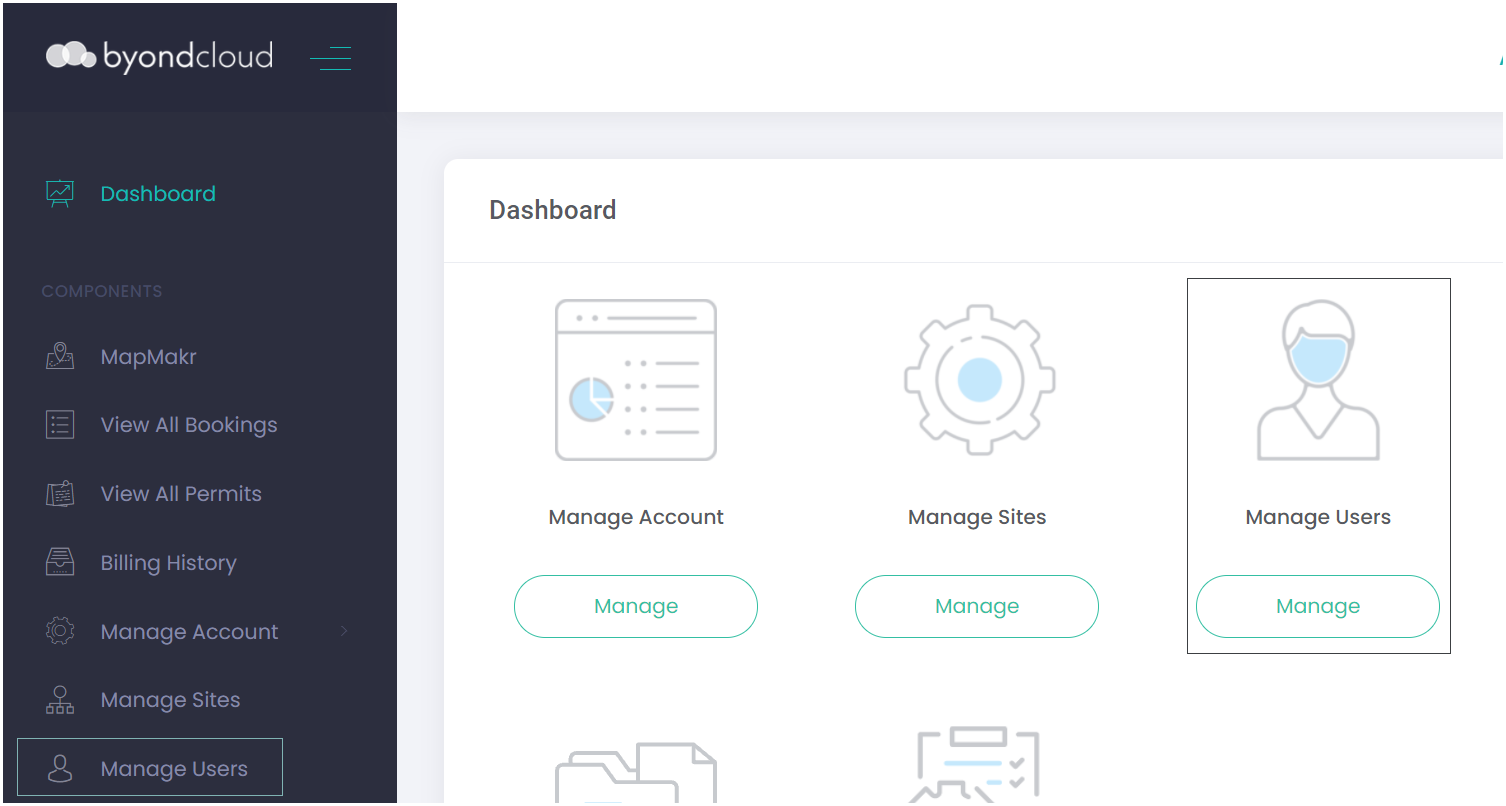
From the Dashboard, choose the Manage Users icon, or if using the Side Menu, select Manage Users from the selection list.
Monumental Mason
Application as a Mason
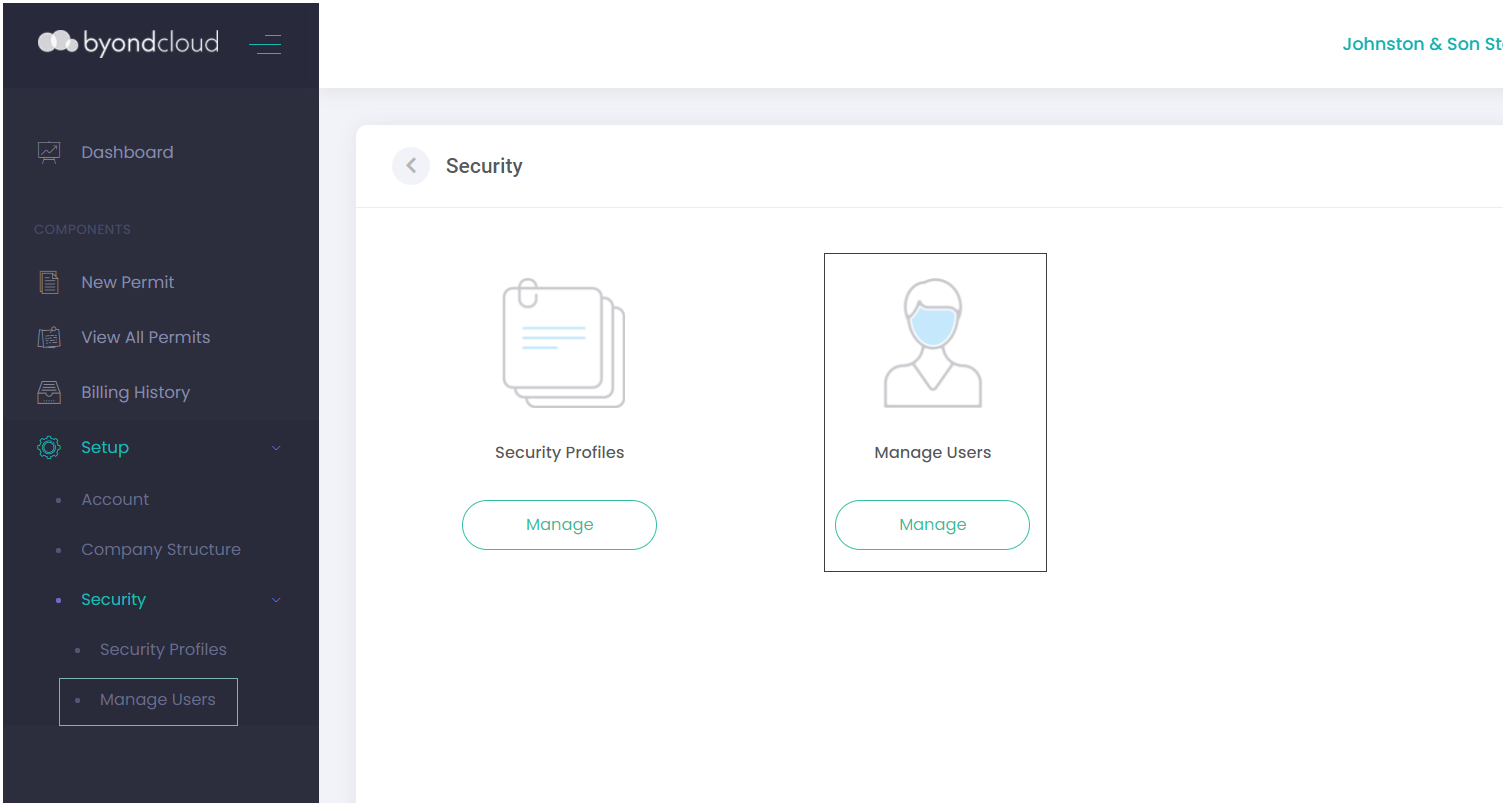
If accessing the Monumental Mason's Application as a mason, choose the Setup icon.
From the Setup icon, choose the Security icon.
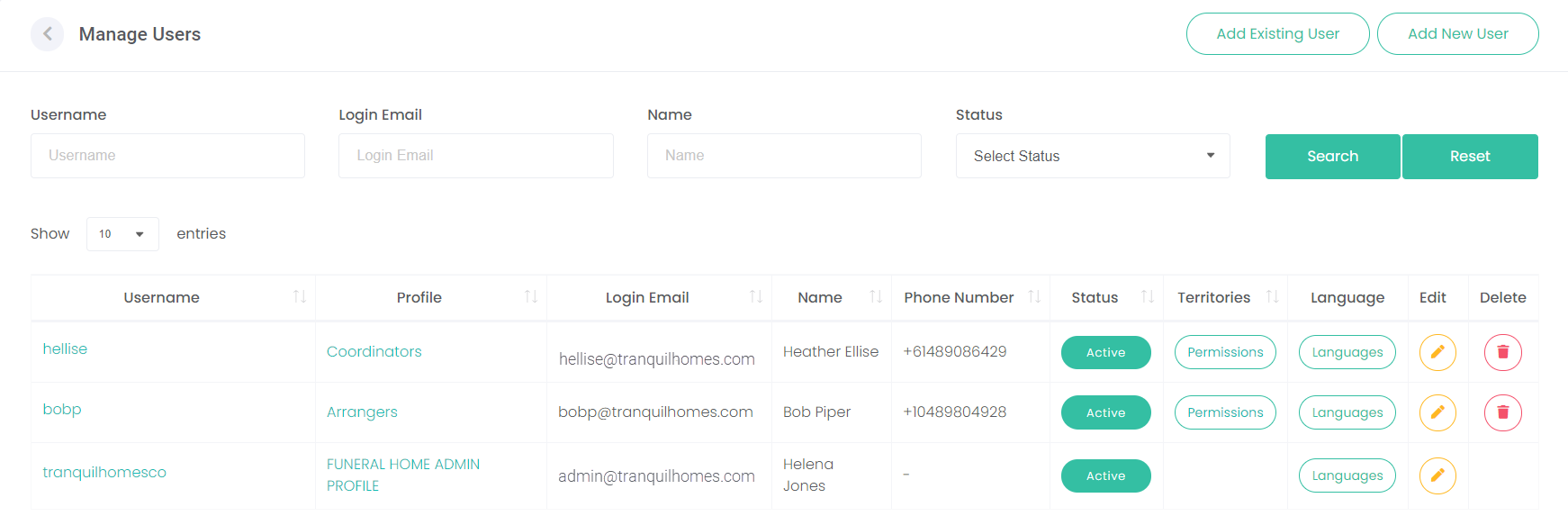
From the Security icon, choose the Manage Users icon.
If using the Side Menu, select Security from the Setup selection list.
Then choose Manager Users from the Selection list.