Resource Appointments
The next screen you will be presented with is the Resource Appointments screen.
The Selected site will be greyed out, displaying the site chosen on the New Arrangement screen.
The Service Types should only show Funeral Services on this page, and it will be automatically ticked so no action is required.
Choose the Service Date you would like to book the service for.
The available time slots for the chosen date will be displayed with the dotted line around them. Times that are not available will appear blank.
Click on the time you would like to book, and it will turn purple to indicate your selection.
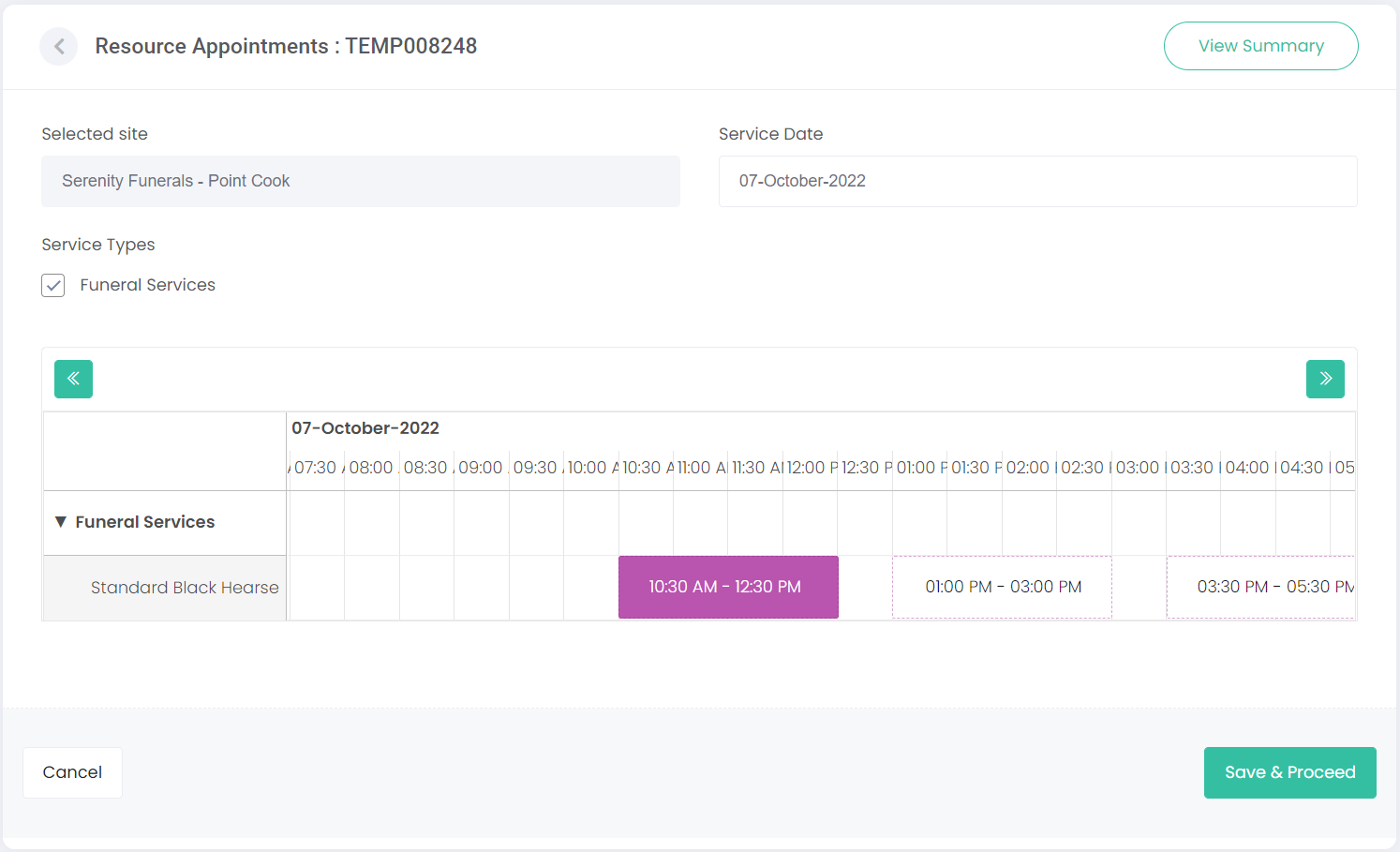
Choose Save & Proceed.

There may be additional screens to populate depending on the funeral home site’s configuration in Manage Sites.
For example, there may be a Funeral Home Requirements or First Call Requirements page to complete.