Permit Status
Once the permit application has been reviewed, the cemetery staff will update the status of the application via the Permit Summary>Change Attributes screen.
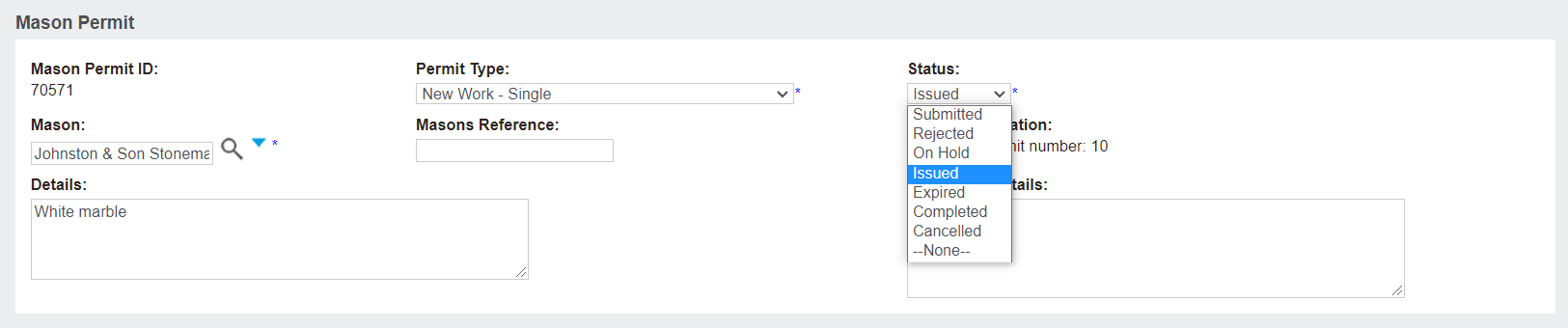
Status changes made in byondpro will sync with the mason's byondcloud account.
For example, if the permit application is found to be satisfactory, the cemetery would change the status to Issued.
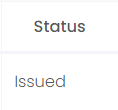
This change in status is then reflected in byondcloud:
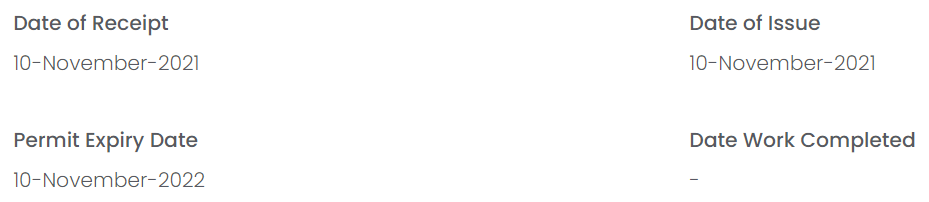
The permit summary screen would also change to reflect the date that the application was issued and the permit's expiration date.
The cemetery could also put the permit On-Hold if something is missing in relation to the authorising person, or they could also outright Reject the permit.
The operations team can also mark the permit as Expired if works have not been completed by the due date, and they may subsequently Cancel the permit.
When works are completed, staff would mark the permit as Complete, which will automatically update the Date Work Completed field in the byondcloud permit summary: