Permit Status - byondcloud
Once permits have been reviewed or the works therein have been completed or otherwise progressed, the cemetery will need to action the permit as either Issued, Rejected, On-Hold, Cancelled, or Complete.
From the Manage Permit screen, cemetery users can Edit the application's details, or place On-Hold, Reject, Issue, Cancel, or Complete the permit.
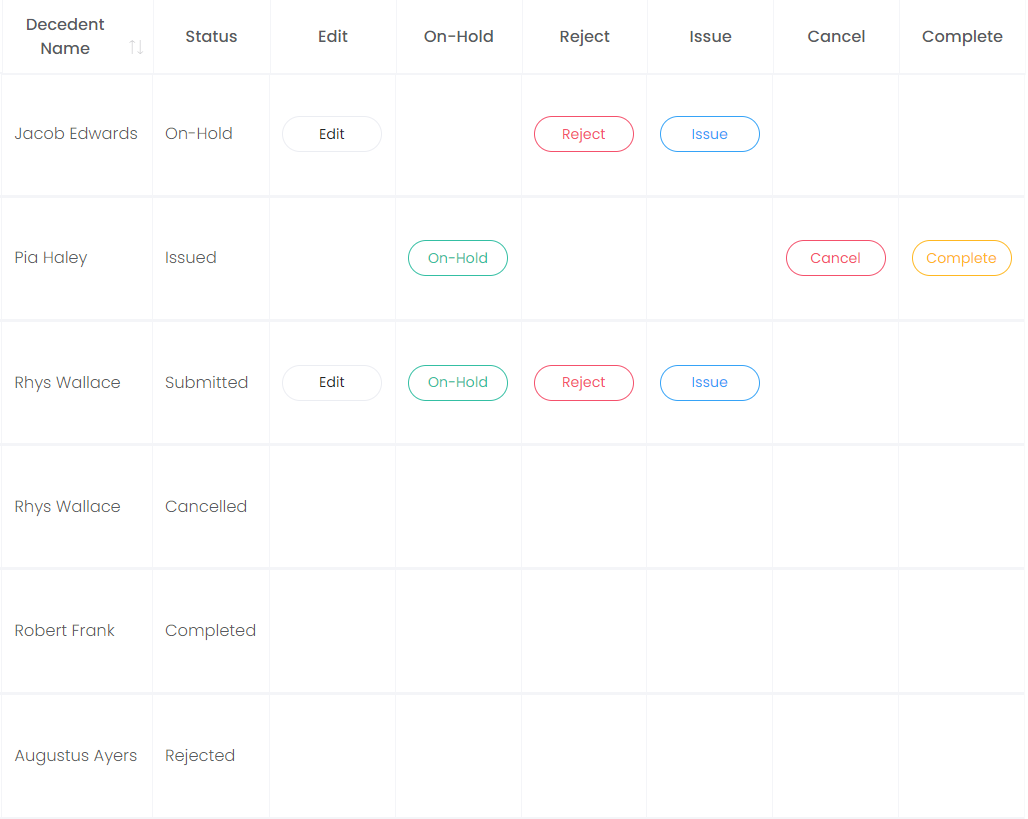
The cemetery can place the application On-Hold for a number of reasons. For example, they might need the mason to provide additional documentation.
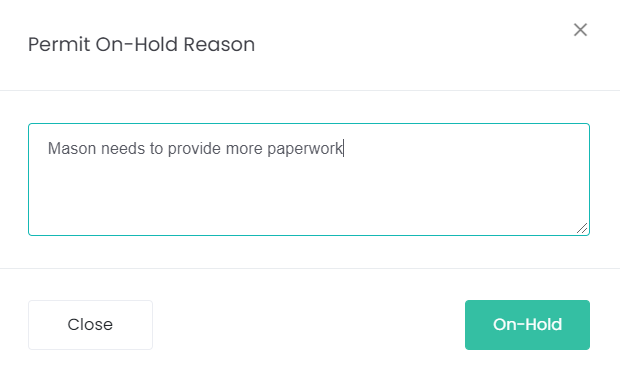
When clicking the On-Hold button, the cemetery will be prompted with a text box to explain the reasoning behind the hold.
An On-Hold application can then either be Rejected or Issued.

After reviewing the application, the cemetery can choose to either Issue or Reject an application.
Rejected applications are considered closed and cannot be actioned further.
Issued applications can be placed On-Hold if required.
Otherwise, they will either be Cancelled in the event that the work is cancelled by any party involved; or they can be Completed once the mason has finished the works.

Both Cancelled and Completed applications are closed and cannot be actioned further. However, they do remain in the system as a record for both the mason and cemetery users.
Permit applications that are Submitted or On-Hold can be edited by clicking the Edit button and opening the Edit Permit screen.
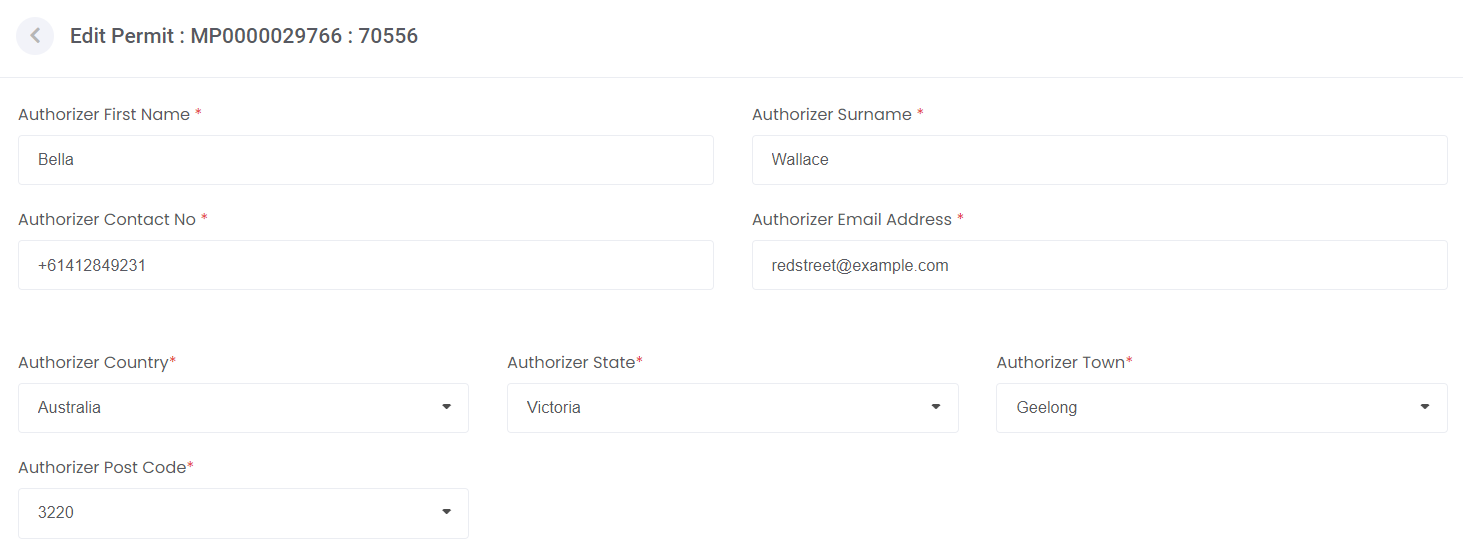
The Edit Permit screen allows the cemetery to change the authorising persons details, permit type, permit details, and inscription details.
Most fields on the Edit Permit screen can be changed, however, the deceased person / location details are fixed and cannot be changed once a permit application is submitted.
It also allows the cemetery to Add, Download or Delete documents

Once all desired changes are made, click Submit on the bottom right-hand side of the screen to save the changes.

Otherwise, click Cancel on the bottom left-hand side of the screen to cancel any changes made without saving them.