To properly display this page you need a browser with JavaScript support.
Instructional Guide
×
Menu
Search
Search
Floral Programs
Configuration
Packages
Previous page
Next page
Print version
(c) Copyright by OpusXenta Pty Ltd. All rights reserved.
To properly display this page you need a browser with JavaScript support.
Packages
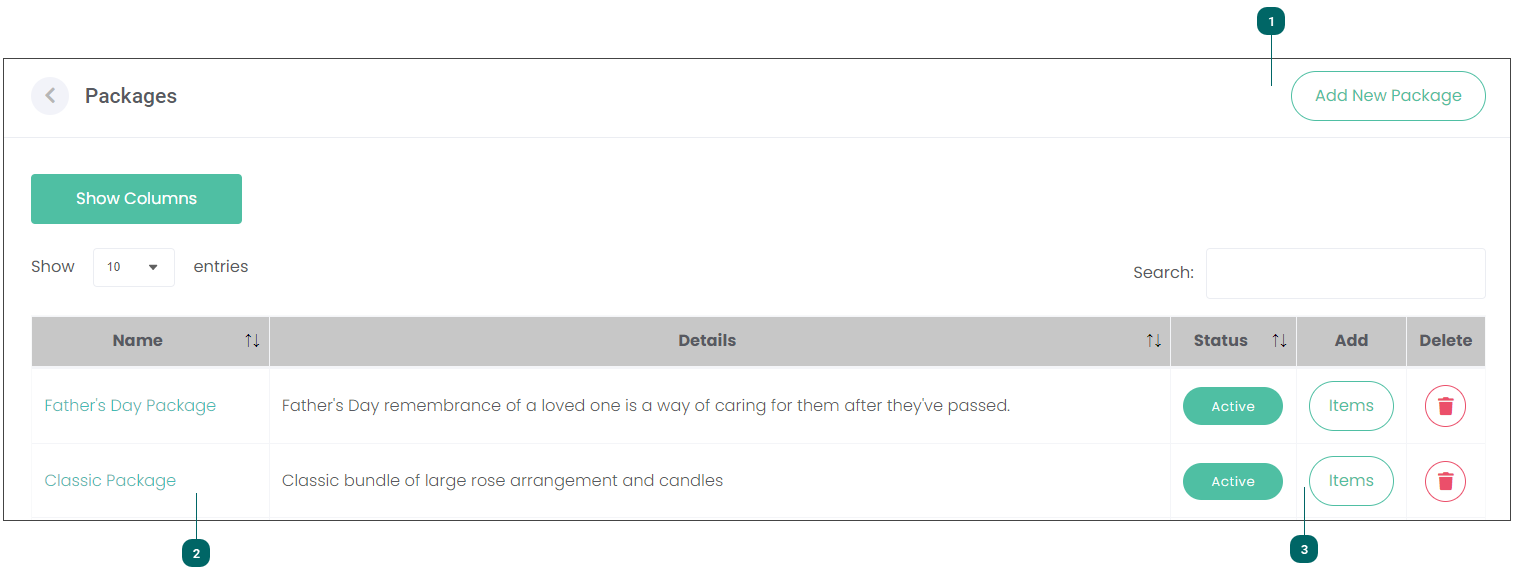
You can create new bundles of products using the
Add New Package
button.
Top
On the
Packages
page you can edit or manage existing Packages.
It displays the following information:
Name which is also a hyperlink you can use to edit an entry
Details
Status
an option to Delete an entry.
Top
Press the
Items
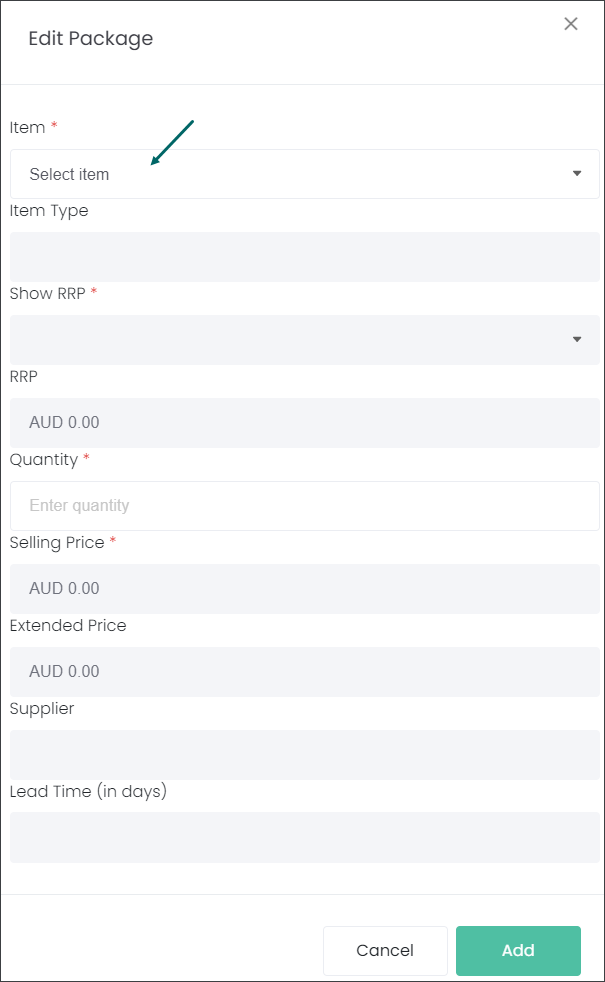
button in line with a Package to add extra Items to an existing entry. The
Edit Package
pop-up window will appear. You can select additional Items and press the
Add
button to make changes.
Top
The contents of Packages
Add New Package