(c) Copyright by OpusXenta Pty Ltd. All rights reserved.
Manage Floral Programs
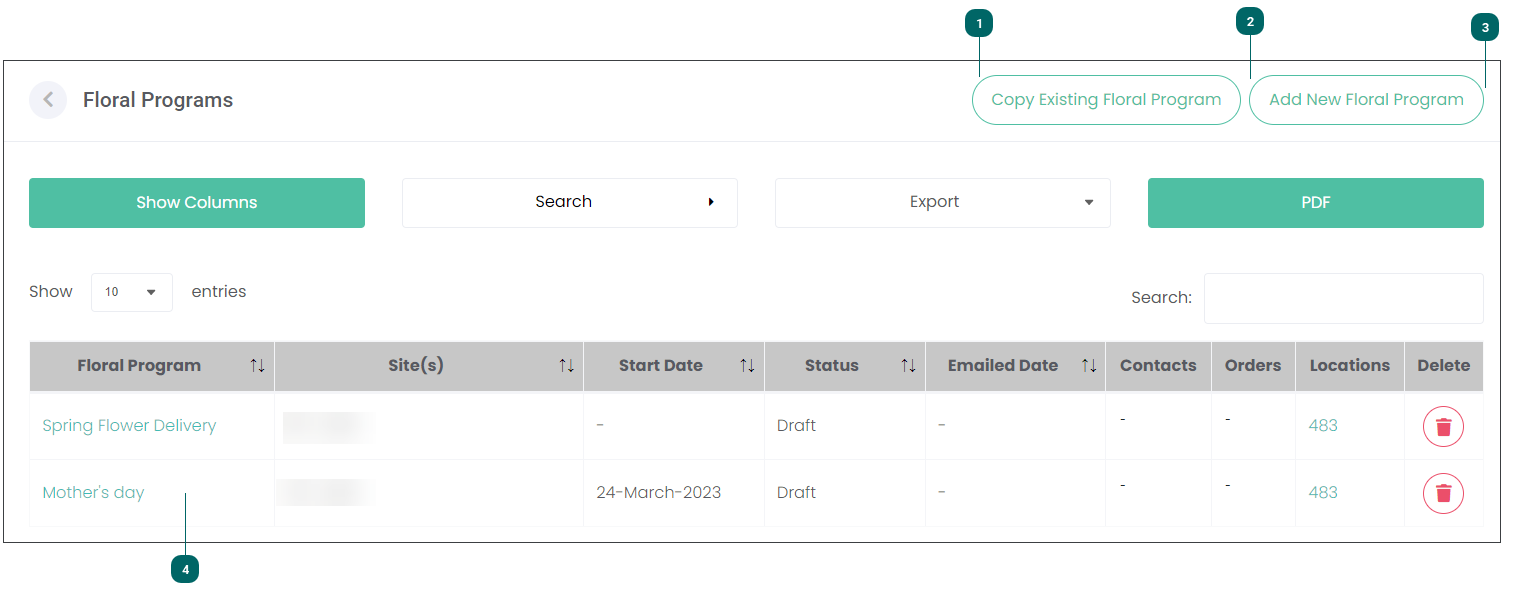
On the Floral Programs page you can manage and copy existing floral campaigns as well as add new ones.
The Copy Existing Floral Programfeature allows you to copy all details of a published Floral Program campaign. It will save you time in creating a campaign, for example if you are running the same campaign the following year or a campaign that is similar to an existing one. Let's assume that you have completed a Mother's Day campaign and you are about to run the Grandparents' Day campaign. If the Grandparents' Day campaign includes the same Items and target audience, you will be able to copy the Mother's Day campaign and edit only some details like the name and dates of the campaign.
Navigate to the corresponding topic in this guide to find out how to copy a Floral Program campaign.
On the Floral Programs page you can edit or manage existing Floral Programs.
It displays the following information:
the name of the campaign
which site it is offered at
its Start Date
the Status which can be Draft, Active, Published or Completed
Note: You can make changes to campaigns that are saved as a Draft. You can view the responses to the campaign, e.g. the number of orders, on Published campaigns.
if the campaign has been published you will also see the date when it was emailed to your customers