Field Validations
Click on Manage under the Field Validations icon.
The Field Validation configuration defines what fields must be completed by the Funeral Director during the bookings process.
Fields without a validation can be left blank by the Funeral Director.
When planning the configuration of field validations, it is important to consider what the minimum information you may require to approve a booking in the first instance and mark these fields as mandatory.
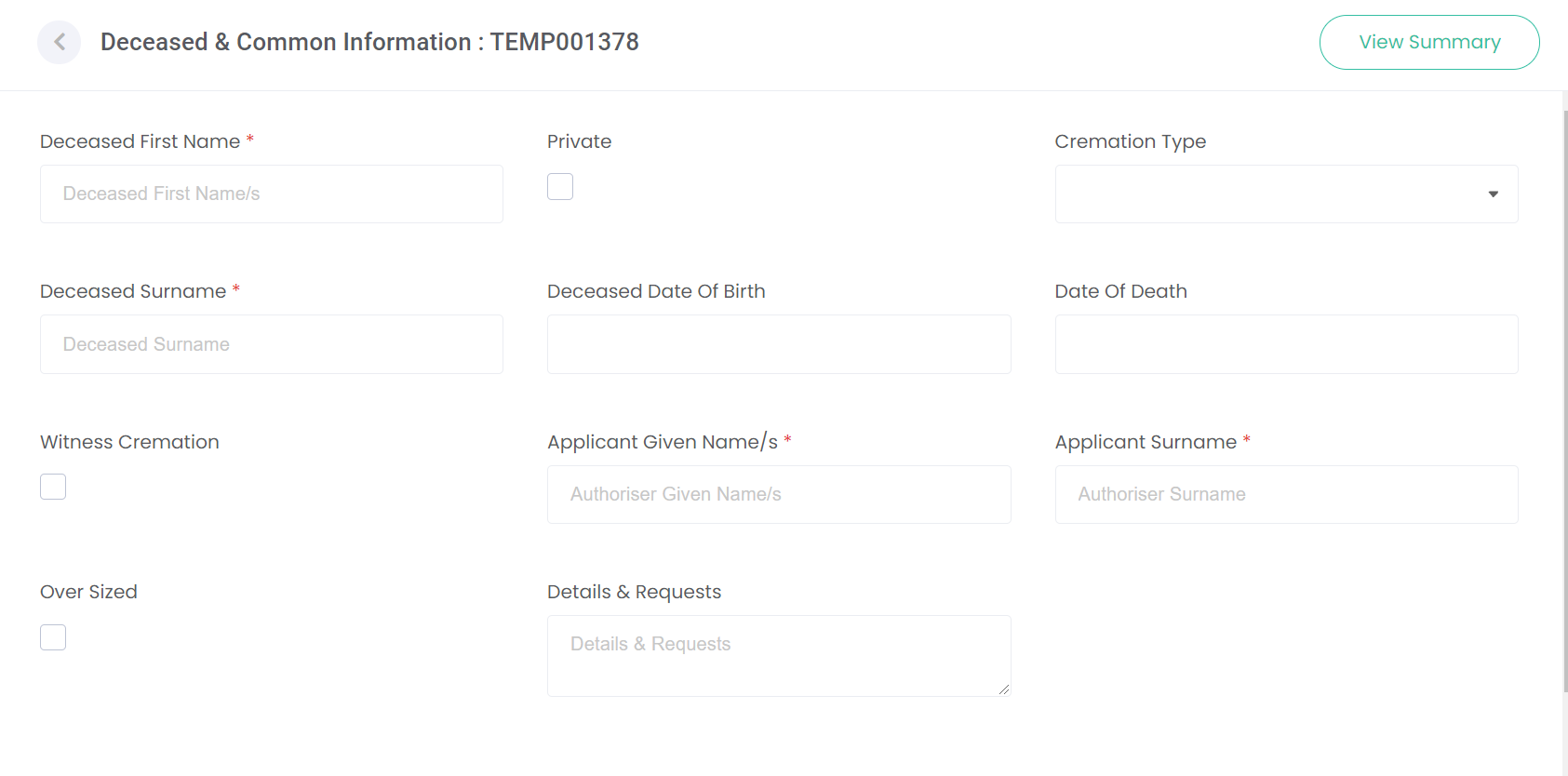
Returning to our Deceased & Common Information screen as it will be displayed to the Funeral Director during the booking process, each field marked with an asterisk * is a required field.
The Funeral Director cannot proceed with the booking unless the required information is captured in these fields.
Configuration as outlined below shows the active fields requiring validation.
If you have these fields marked to display on any of the screens you have set up, the Funeral Director will have to enter information against those fields.
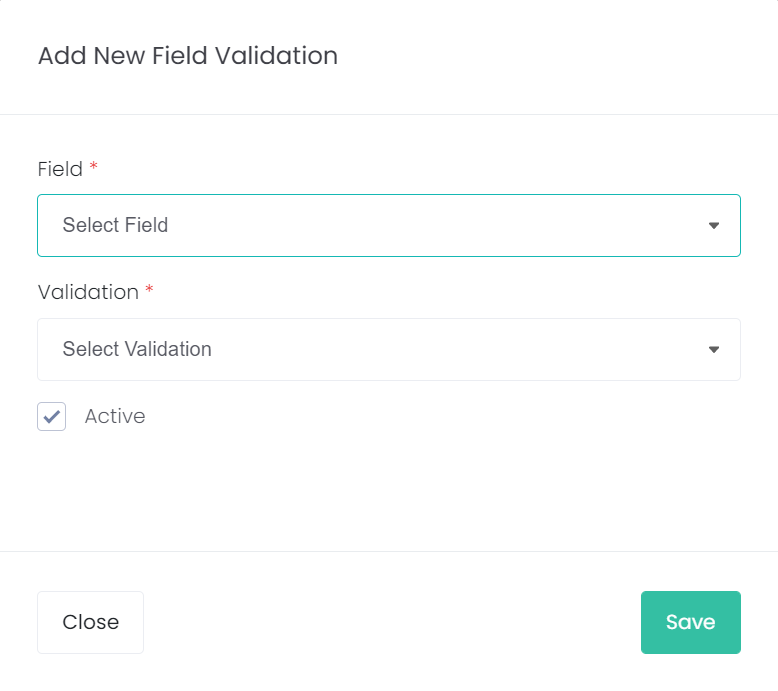
To configure the options, choose the Add New Field Validation button at the top right of the screen to add a new option.

Select the field that you want to add from the selection list.
In the Validation field, select the validation of Required.
Press Save on the right-hand side of the page.
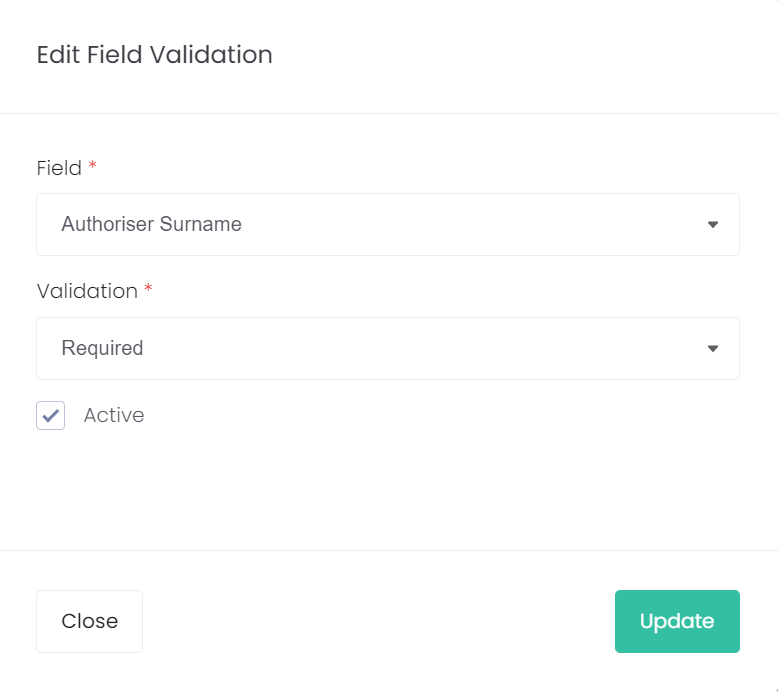
To edit an existing option, choose the Edit icon on the far right.
Delete a validation by choosing the Delete icon on the right.

Choose Edit against the Field Validation to open the edit screen to mark it as inactive.