Edit Booking
From the Manage Bookings screen, edit a booking by choosing the View & Edit button on the right.

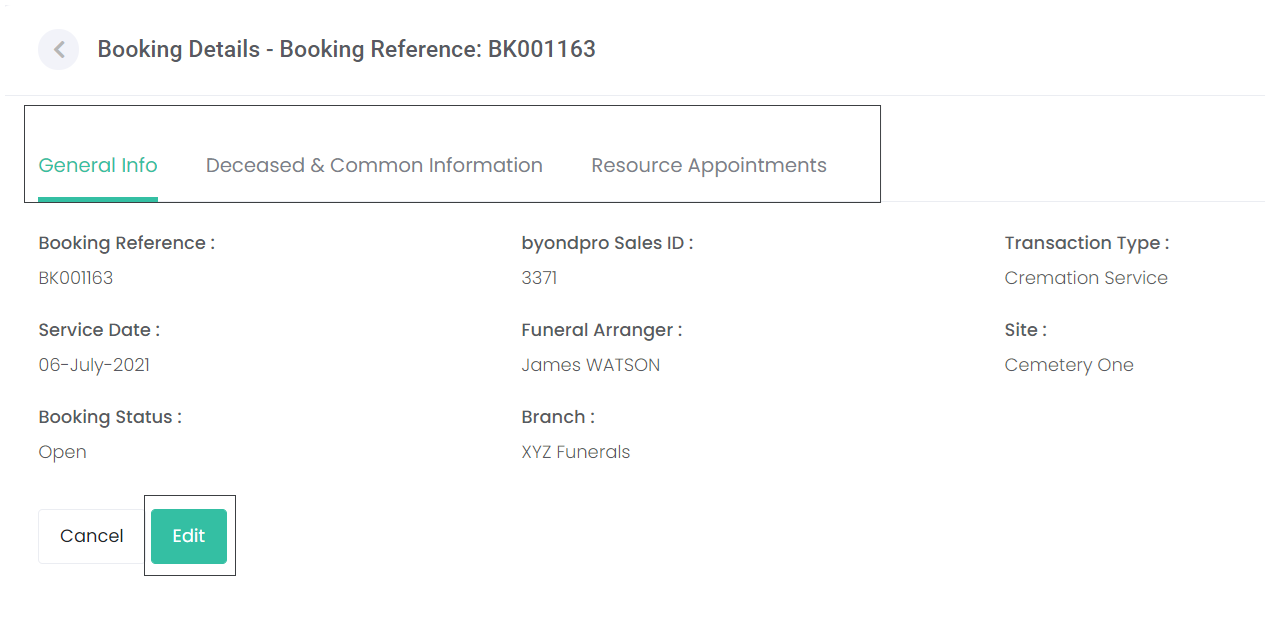
This will open the booking in a view mode. Users can view each of the tabs by clicking on the relevant tab header:
-
General Information
-
Deceased & Common Information
-
Resource Appointments
-
Any other screens that have been set for the Funeral Director to complete.
On the screen that needs to be changed, choose the Edit button.
If this is the only change required, choose Submit & Close to lock in the change.
If further changes are required on other screens, rather than choose Submit & Close, the user should choose Save & Proceed. This will allow them to edit additional screens if applicable.
Once all changes have been made, choose Submit & Close.
If no changes are required, the user can choose the Cancel button.

To return to the Manage Bookings Screen, choose the arrow next to the heading on the page.
