Details tab
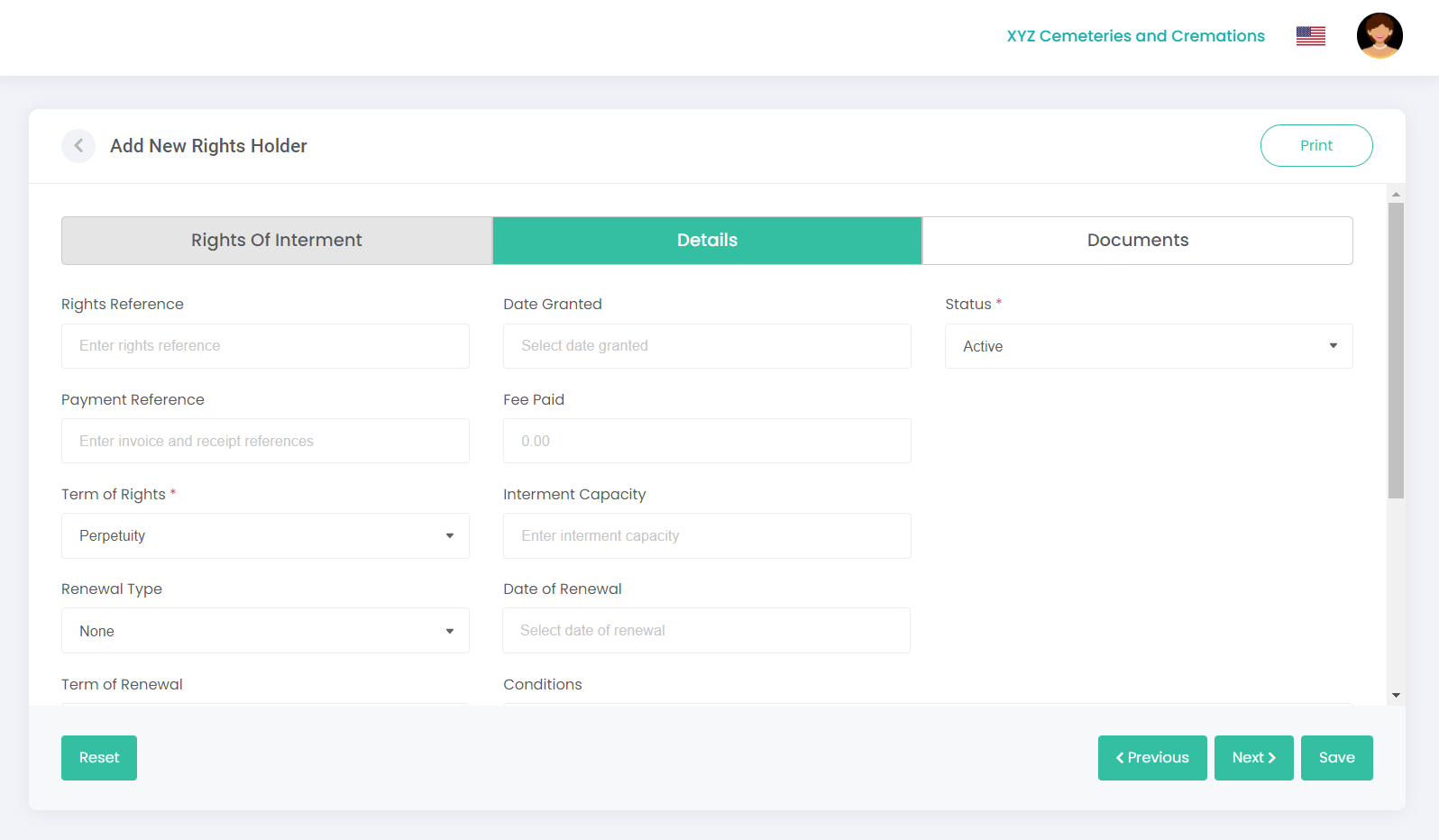
Enter the following details for the rights in the relevant fields, and click Next (or click on the next tab’s heading):
|
Field
|
Field Description
|
|
Rights Reference
|
Enter the rights reference (if relevant) e.g. this could be a previous burial register number.
|
|
Date Granted
|
Click in the Date Granted field, then select the date granted using the calendar. TIP: When using the calendar, you can click on the year once and then use the left / right arrows next to the year to quickly select the year you need. To quickly select the decade you need, click on the year twice and use the left / right arrows.
|
|
Status
|
Select Active or Inactive from the drop-down list. For example, you may want to mark a record as inactive and then add a new active record.
|
|
Payment Reference
|
Enter a payment reference, such as an invoice or receipt number.
|
|
Fee Paid
|
Enter the amount paid.
|
|
Term of Rights
|
Select the correct term of rights from the drop-down list: (25 years, 25 years, 50 years, Perpetuity or None).
|
|
Interment Capacity
|
The interment capacity is populated from the Location record, but can be changed here. If the capacity is edited in this screen when issuing a new right of interment, the value is passed back to the Location.
|
|
Renewal Type
|
Select the renewal type from the drop-down list: (if updating the Rights Holder entry with tenure renewal information, select Renewal, Conversion or None).
|
|
Date of Renewal
|
Click in the Date of Renewal field, then select the date using the calendar.
|
|
Term of Renewal
|
Select the term of renewal from the drop-down list: (5, 10, 25, 50 years or Perpetuity).
|
|
Conditions
|
List any conditions or restrictions that may apply in this field.
|
|
Additional Rights Holder
|
If there is an additional rights holder, you can enter their details here.
|
|
Additional Rights Holder Details
|
Use this field to type in any additional right holder details, such as a contact number or relationship to the deceased.
|
Note: any field marked with an asterisk must be completed.