Definition Tab
The Definition tab is where the parameters of the list are defined. The details entered here will determine who receives communications sent to this contact list.
Enter a Name and Description that will inform staff of the purpose of the list.
If the Active box is unticked, this contact list won't be available in Floral Programs. Ensure it is ticked if you intend to use it.
Tick the boxes to decide if the contact list will be sent emails, physical documents, or both.
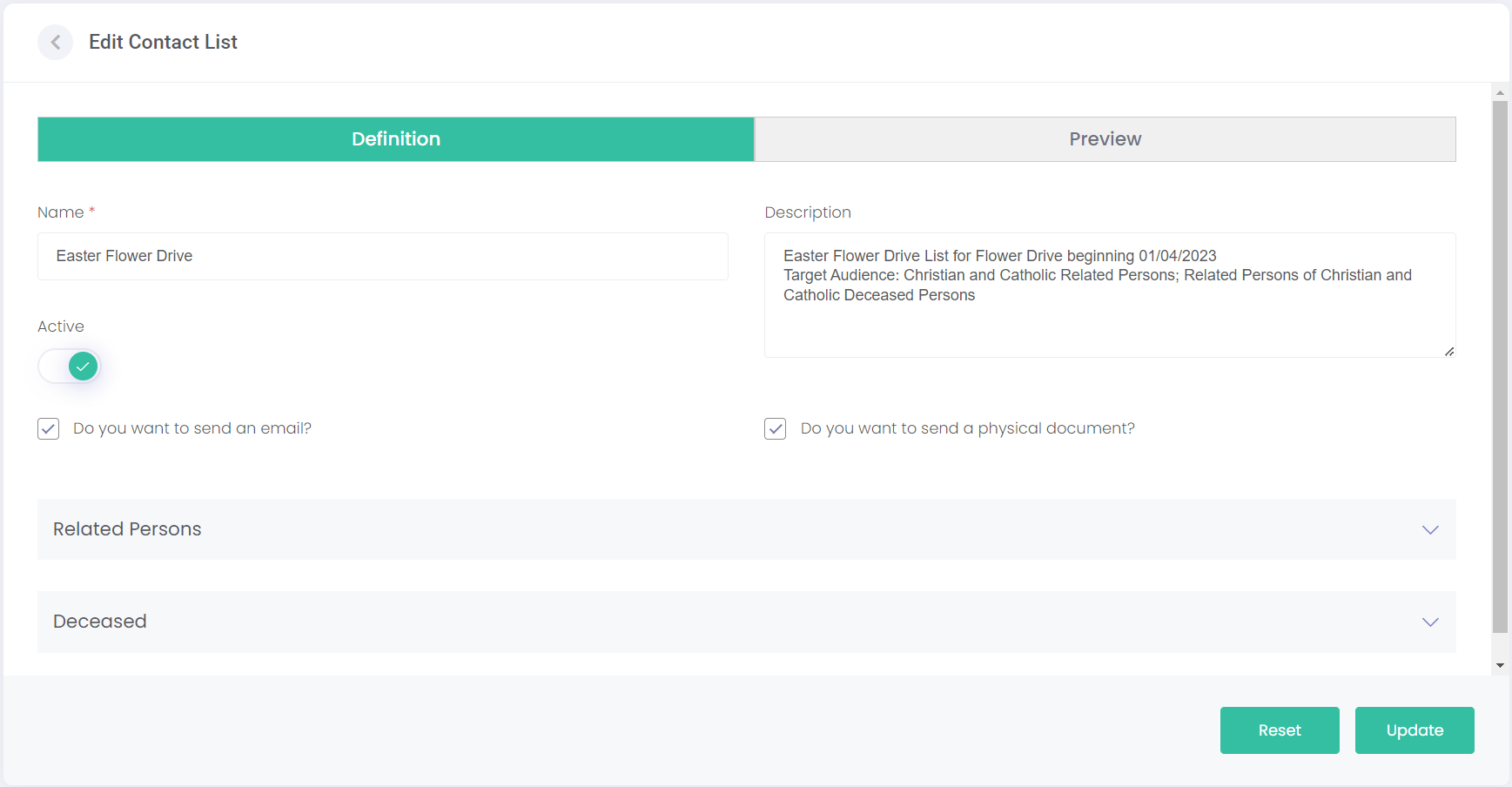
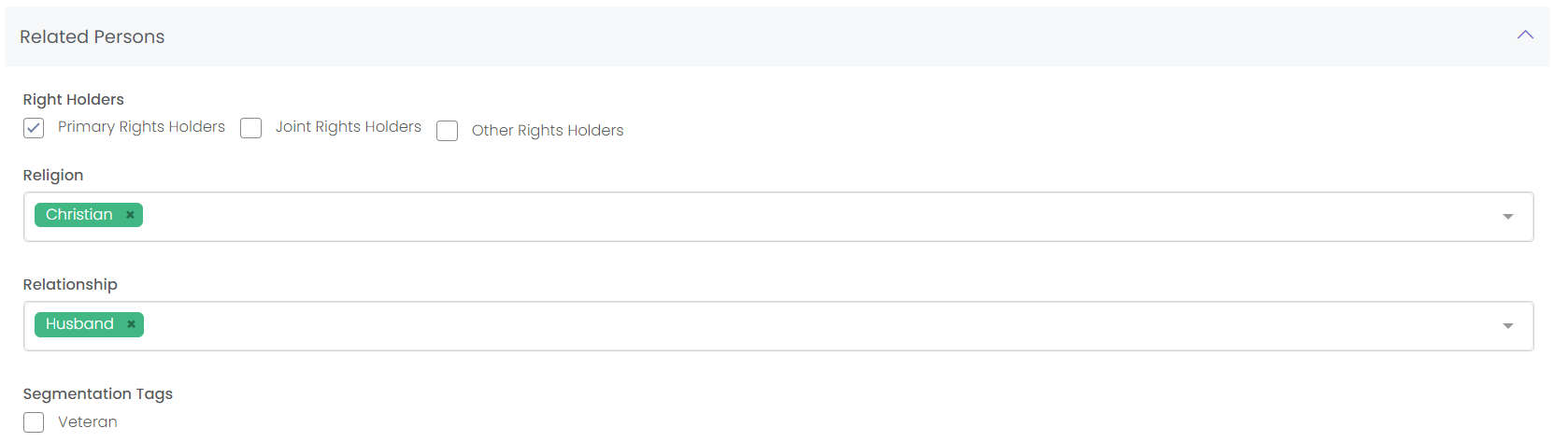
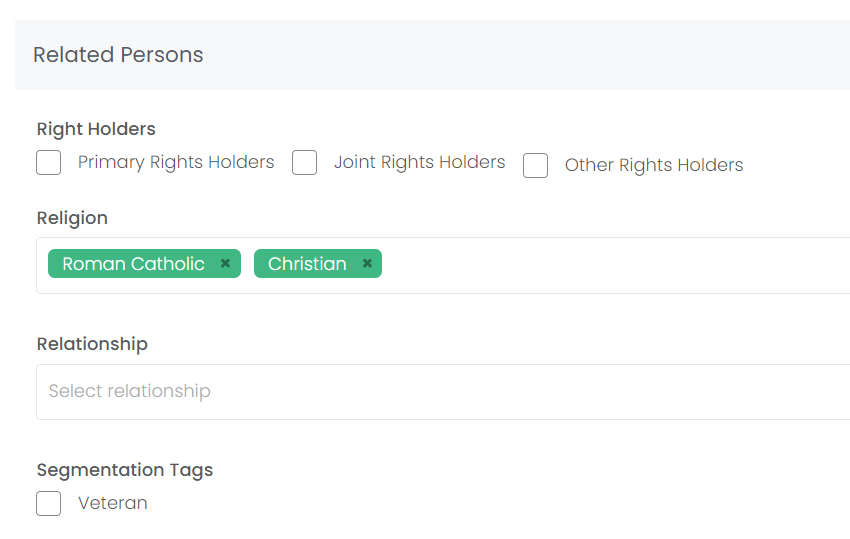
The Related Persons area lets you configure which relatives of deceased persons are contacted. It could just be the Primary Rights Holders, or you could want Joint and Other Rights Holders to be contacted as well.
You can target certain Religions or Relationships. In our example below, only Christians who are the Husband of the deceased will be contacted.
You can target certain Religions or Relationships. In our example below, only Christians who are the Husband of the deceased will be contacted.
Tick the Veteran box to target only the related persons of veterans.
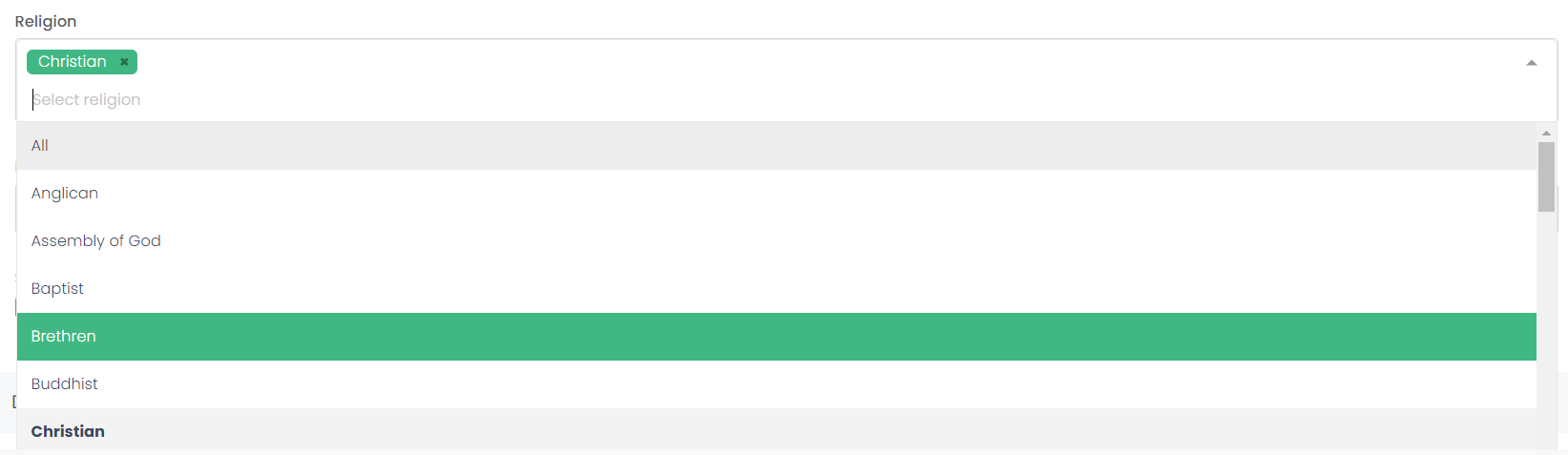
The Religion and Relationship fields are drop-down selections. You may choose to select multiple religions or relationships for your list.
The Deceased area lets you configure which deceased records' families will be contact. In our example, if the deceased person was a Christian and a mother or grandmother, then her family will be contacted.
Again, you can mark that the deceased must be a Veteran.
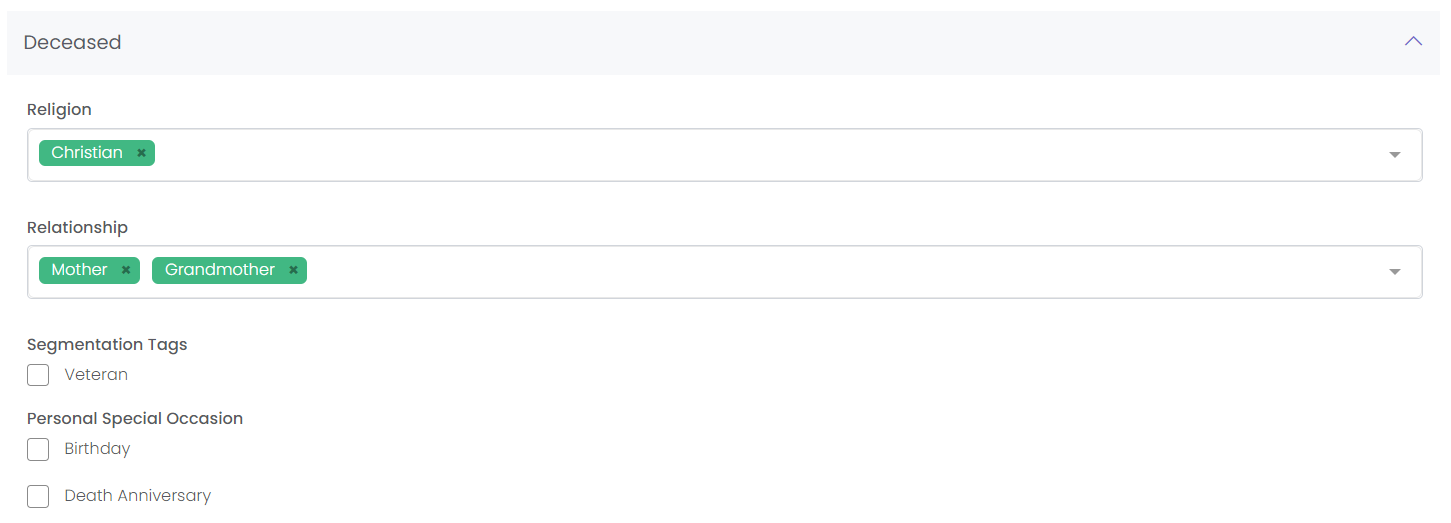
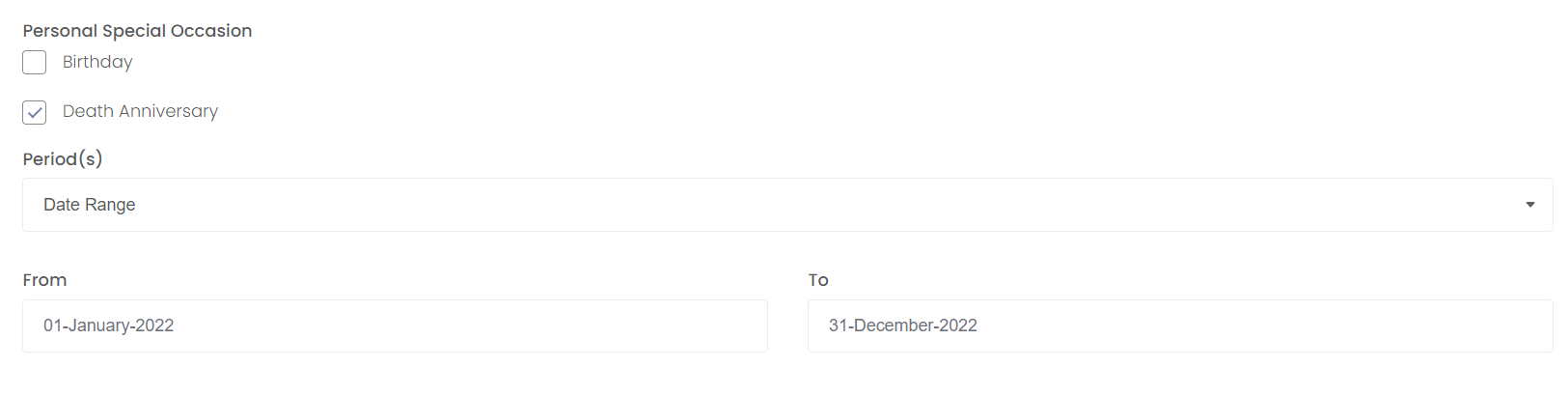
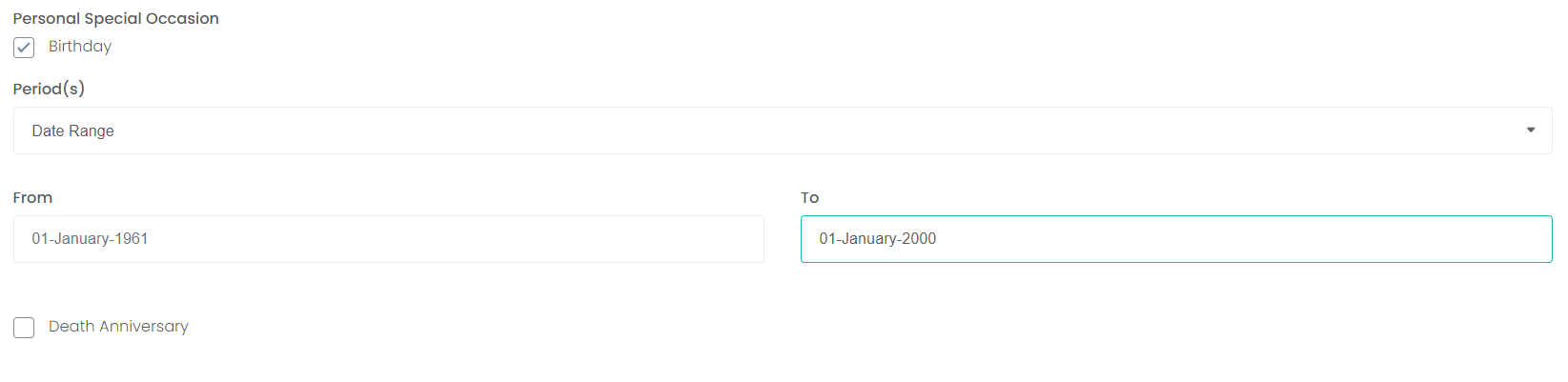
You may want to generate a list based on Birthdays and Death Anniversaries. Ticking one of these boxes will open more options.
Select the type of Period that the date falls within:
-
Date allows for a specific day.
-
Date Range lets you choose a From and To date.
-
Month for anyone who was born or died in that month.
-
Month Range to select a From and To month.
Examples
Below we've given several examples of how we might use this page to generate specific lists.
Mother's Day Floral Program
If you are planning your Contact List for a Mother's Day Floral Program, in the Related Persons are you could select the Relationships as Son, Daughter:
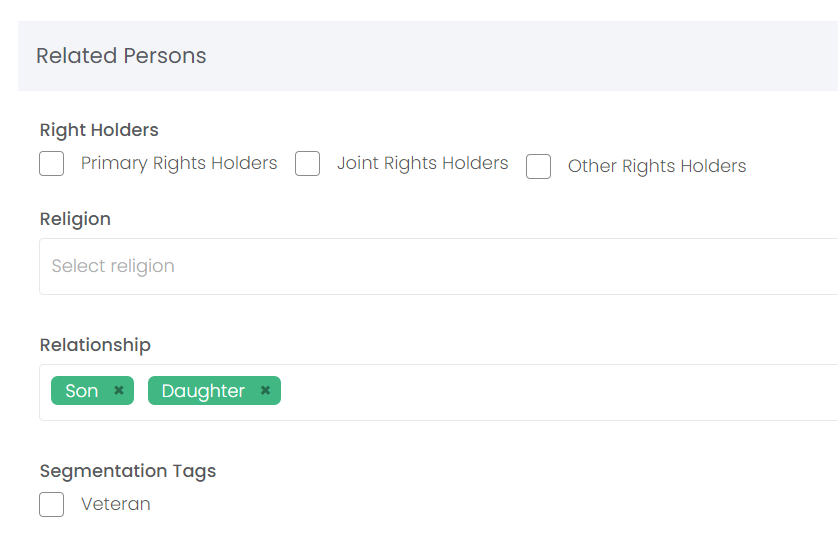
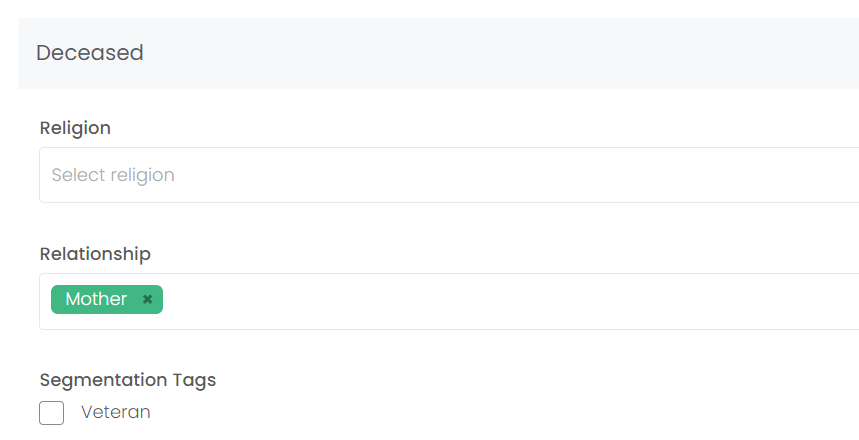
Then, in the Deceased area you would select the Relationship as Mother. This will result in a Floral Program campaign being sent out to all Persons whose Relationships are set as Mother - Daughter, and Mother - Son.
Easter Floral Program
If you are planning an Easter Floral Program, you may only want Persons records affiliated with Christian and Catholic religions to receive marketing material, but not those affiliated with other religious communities. In both areas, select the Religion as Catholic and Christian.
This will result in a Floral Program campaign being sent out to all current Persons who are Catholic and Christian, and families of Deceased persons who were Catholic or Christian.
Death Anniversary
If you are planning you Contact List for a Floral Program for all families whose love ones passed away last year, you will select the Death Anniversary -> Date Range option in the Deceased area. Choose the start date as January 1st of last year, and the end date as December 31st of the same year.