(c) Copyright by OpusXenta Pty Ltd. All rights reserved.
Bookings in byondpro
When a booking is created in byondpro, it is passed on to Task Manager along with all the relevant information that will be needed for undertaking the job, including:
Details of the deceased
Service date.
Location and site details.
Booking requests and details.
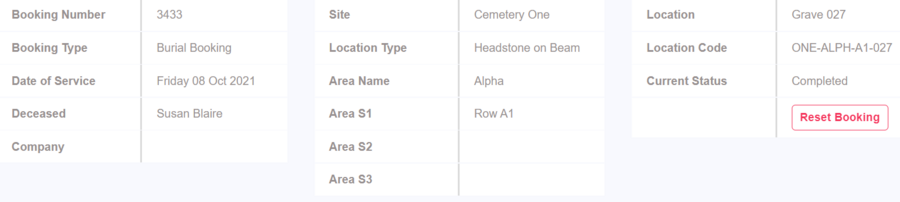
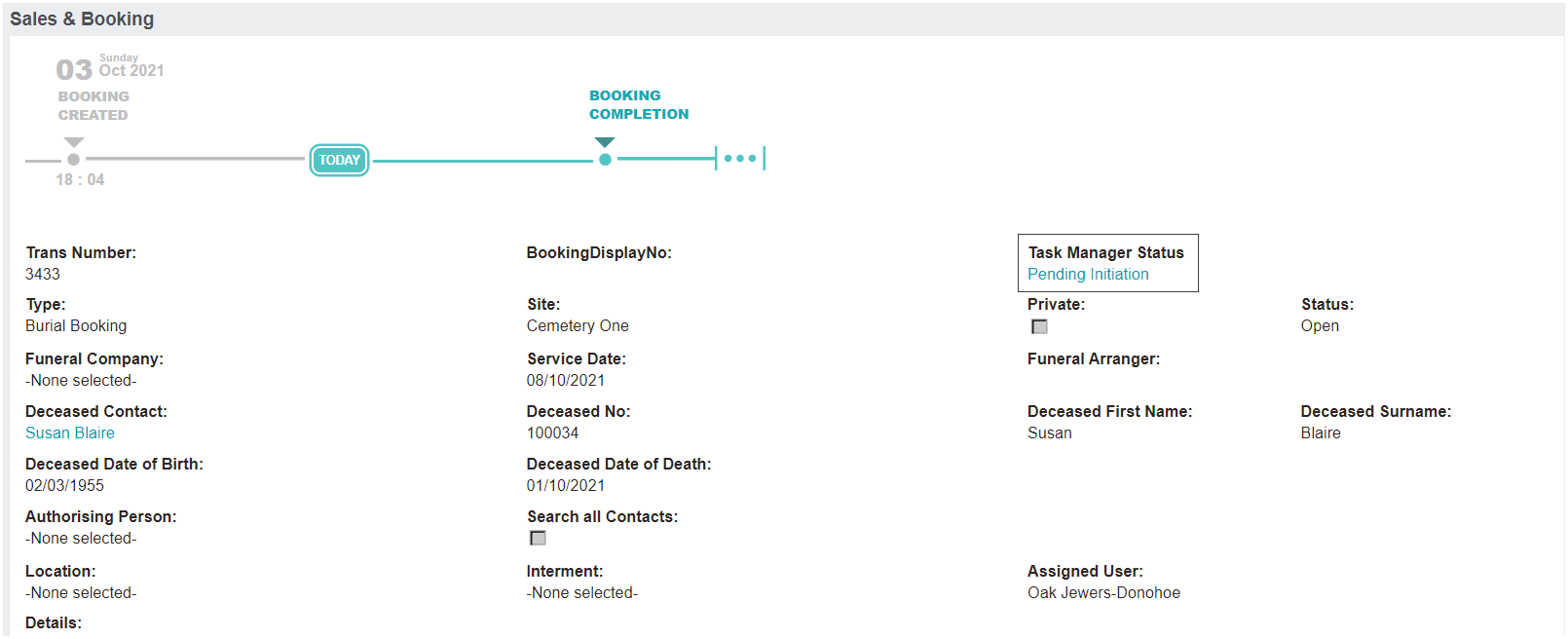
For instance, compare the byondpro Sales & Booking Summary header:
With the Task Manager Job Snapshot:
The setups in Task Manager drive the phases and tasks that directly correlate with the byondpro booking.
Task Manager Status is updated in byondpro as the phases are completed, indicatingthe stage of the process the job has reached.
Before any actions commence in Task Manager, the status is shown as Pending Initiation.
Thephases associated with the specific Job Type and LocationType are detailed under the Phase Info Tab in the Task Manager job.
As the phases are completed, this is reflected back in byondpro.
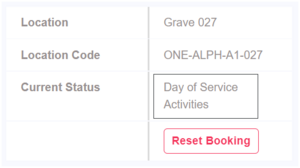
In the screenshots below, we can see the status has updated to Day of Service Activities in the Job Snapshot tab in Task Manager, which has changed the Task Manager Status field on the Sales & Booking Summary tab in byondpro to Day of Service Activities.
As the operational staff process through each phase, the Task Manager Status field will continue to update accordingly.