Assign Task to User
A user can be borrowed from another team and assigned to a specific task if required.
The phase shown below has been allocated to Team 4.
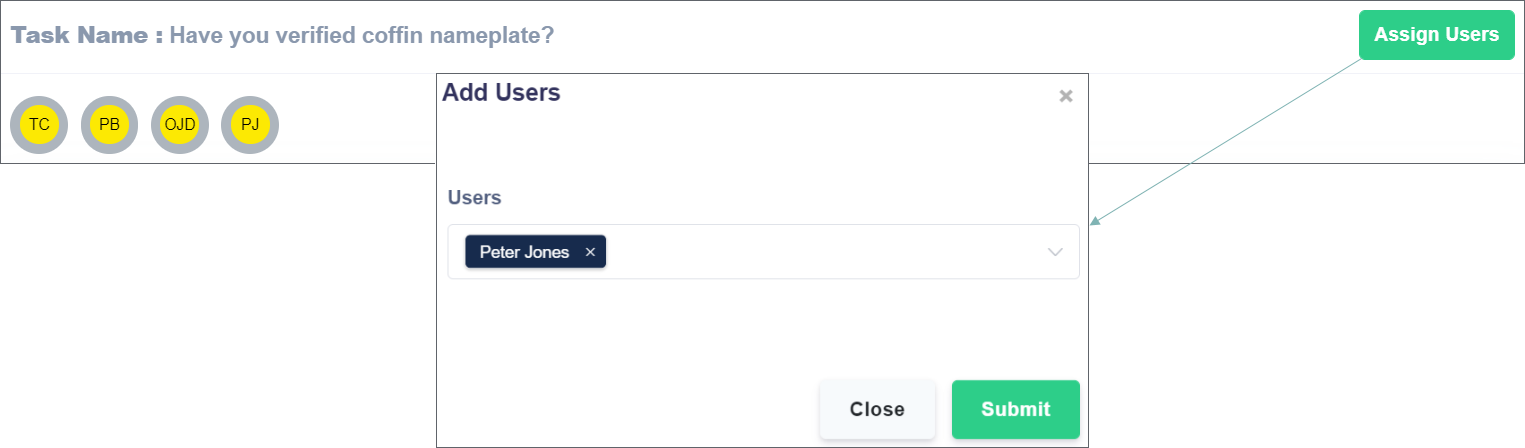
Peter Jones is not a member of Team 4, but the supervisor wants to add them.
To do this, click the Assign Users button.
On the Add Users pop-up, click on the Users drop-down to select from a list of registered users, or type the user's name to find a specific user.
This function can add multiple users to the task at once.
Click Submit to finish adding the user to the task.