(c) Copyright by OpusXenta Pty Ltd. All rights reserved.
Additional notes for Mac users
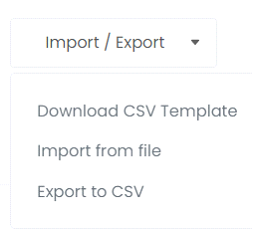
When downloading the CSV template from the Import / Export option in Manage Locations, Manage Rights Holders and Manage Deceased Records within RecordKeepr, the file may open in Numbers instead of Excel. If this is the case, you’ll need to export this template to a CSV file - as RecordKeepr does not recognise the Numbers file.
In RecordKeepr, go to Import / Export, then select Download CSV Template.
When the export template that you have downloaded is opened, it is likely that your Mac will default to open the file in Numbers.
Update the information as required.
Save your template document, however this saved document will need to be converted to a .csv file in order to import back into RecordKeepr.
To do this:
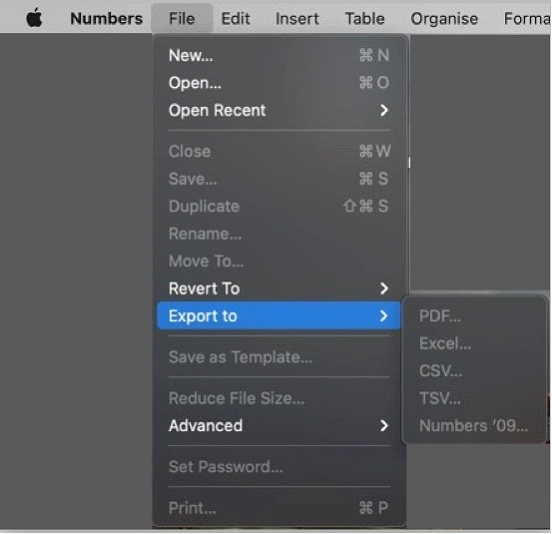
Go to File -> Export to -> CSV as shown in the screen shot below.
Select the folder you want to export the csv file to, so you can easily find it to import back into RecordKeepr.
Note: if you need to make amendments to your file, it will again open by default in Numbers.
You will need to export it again to csv to create the file to import back into RecordKeepr.