Add New Sub-Type
To add a new sub-type, click New Sub-Type on the top right-hand side of the Sub-Type Management screen.

This opens the Add Sub-Type screen.
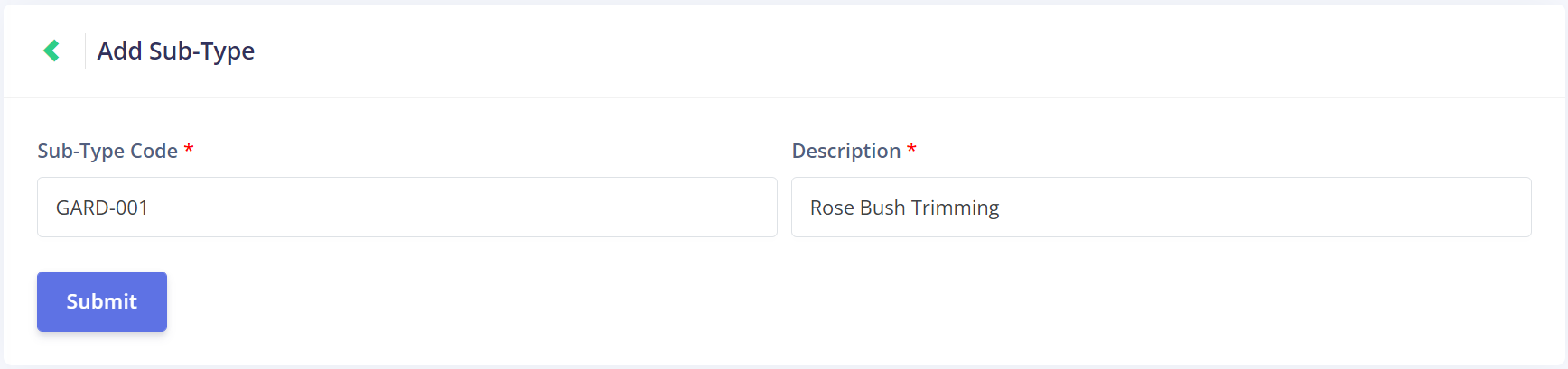
First, enter the Sub-Type Code. It would be ideal to match this code to the Job Type code that this sub-type is associated with.
We're using GARD-001 here, to match our GARD job type code. The numerics allow us to create multiple sub-types with this code format.

Next, add a Description. This should indicate what the kind of work the sub-type involves.
We're using Rose Bush Trimming in our example, which would be a sub-type of our Garden Bed Maintenance job type.

Once all the information is entered, click Submit to save the new sub-type.