(c) Copyright by OpusXenta Pty Ltd. All rights reserved.
Add New Email Template
From the Email Templates screen, click Add New Email Template.
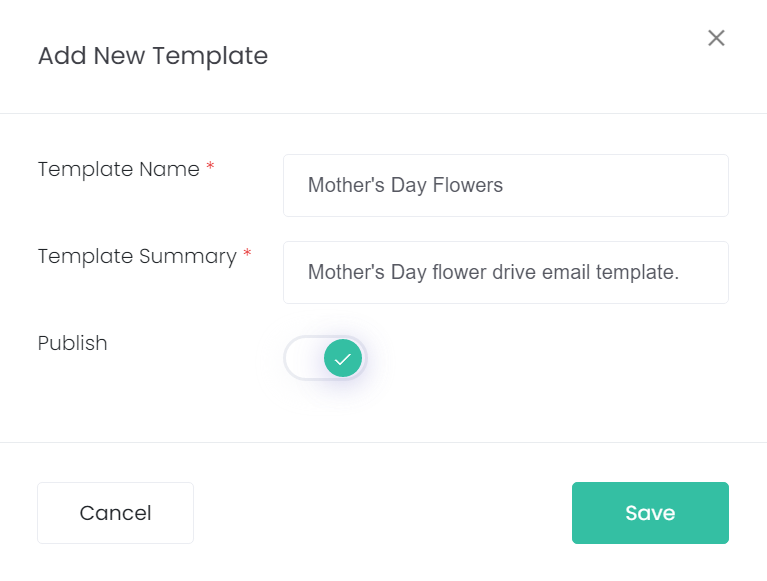
The Add New Template pop-up will appear. Give your new template a name and summary, mark whether it will be published, then click Save.
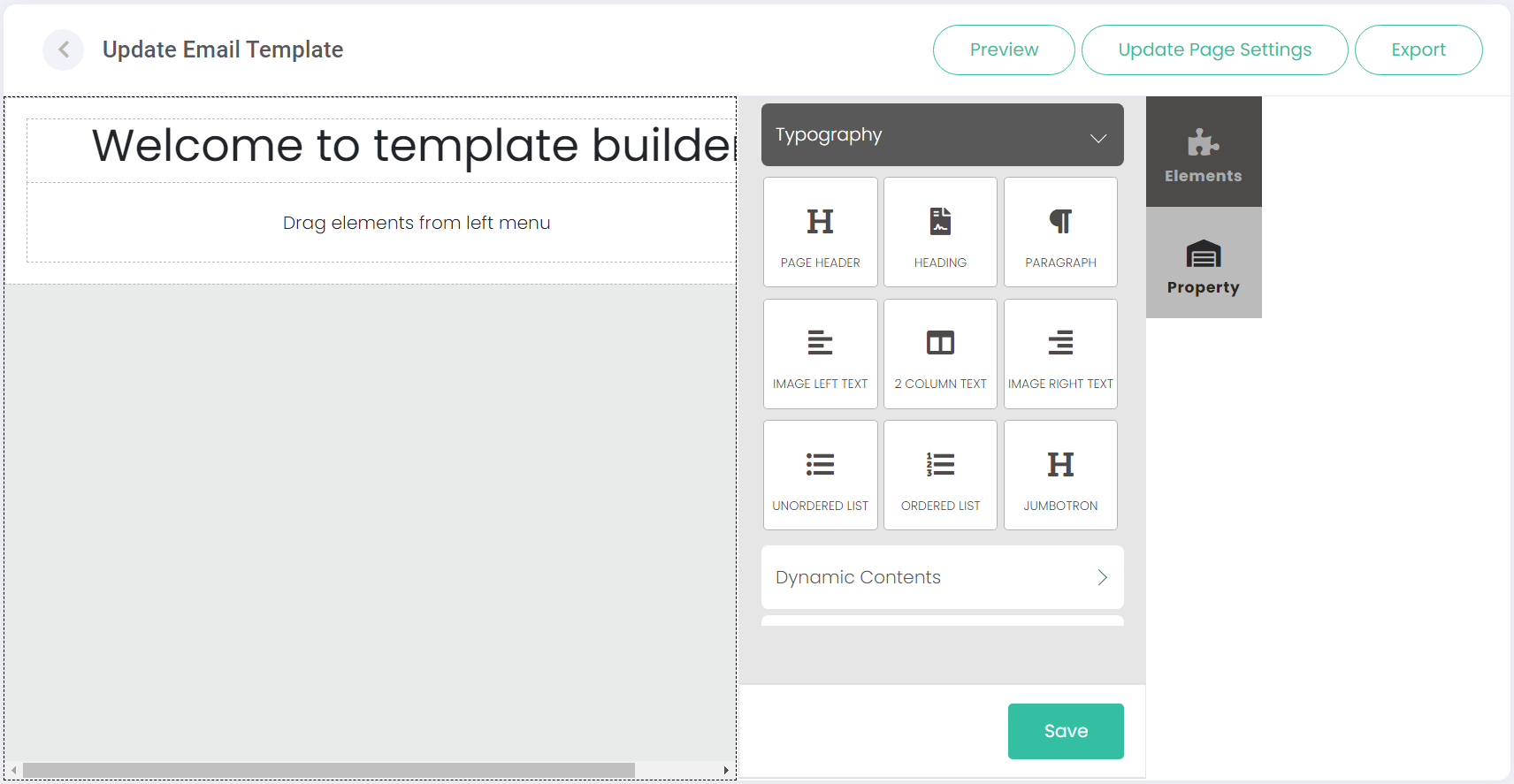
This will open the Update Email Template screen, where the layout and design of your new template can be configured.
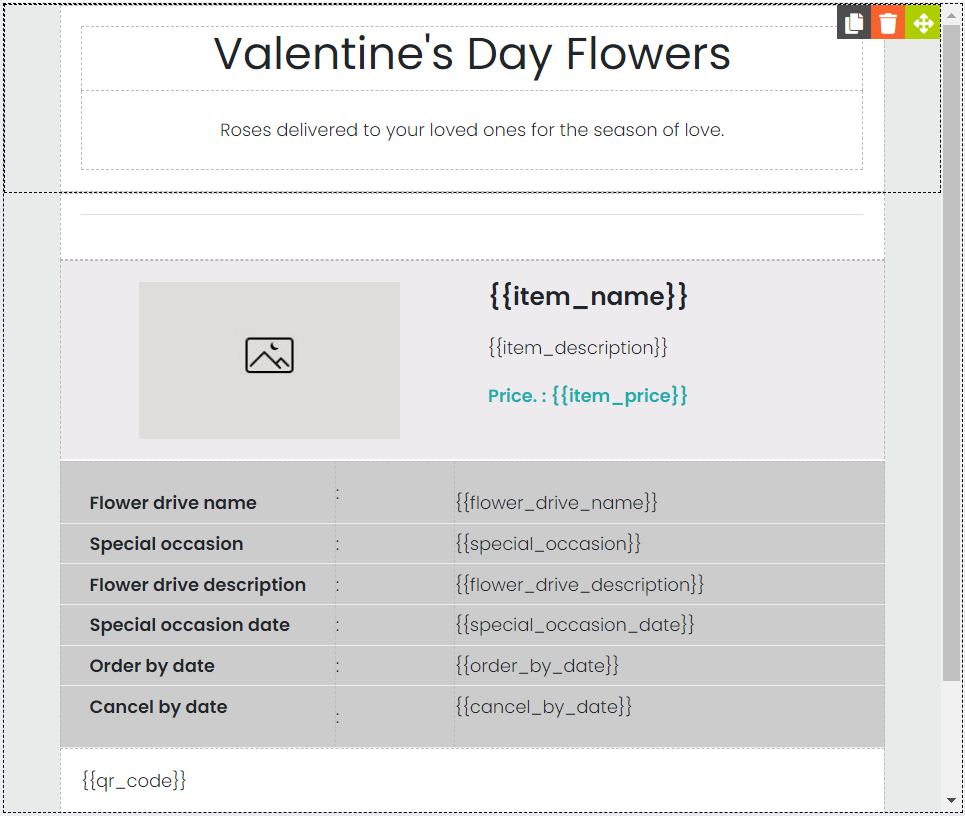
The template's design content will be displayed on the left-side of the screen. Elements on this screen can be edited, re-positioned, duplicated, and deleted.
There are two tabs on the right side of the screen, Elements and Property.