Add Item
To add an item to your Care program, press the Add Item button. The Items will be drawn from your internal Items or from your suppliers' Items.
Select an Item Type and a location from the corresponding menus.
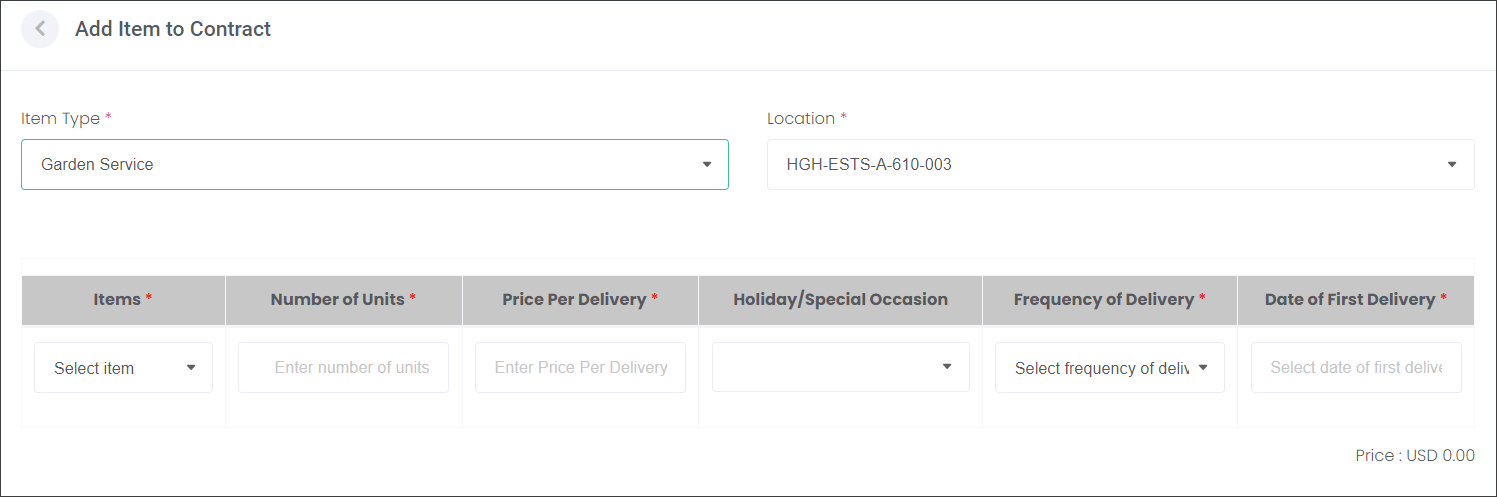
Select the product from your internal Items or the supplier's Items.
The Number of Units and Price Per Delivery auto populate as per Item settings.
Select the Frequency of Delivery, which will auto calculate the total Price.
In our example, one delivery of the mowing service costs $10. If the service is delivered quarterly over the contract term of 12 months the total price is $40.

Then, choose the Date of the First Delivery and, if applicable, the Holiday/Special Occasion.
Press the Add button to secure the changes.
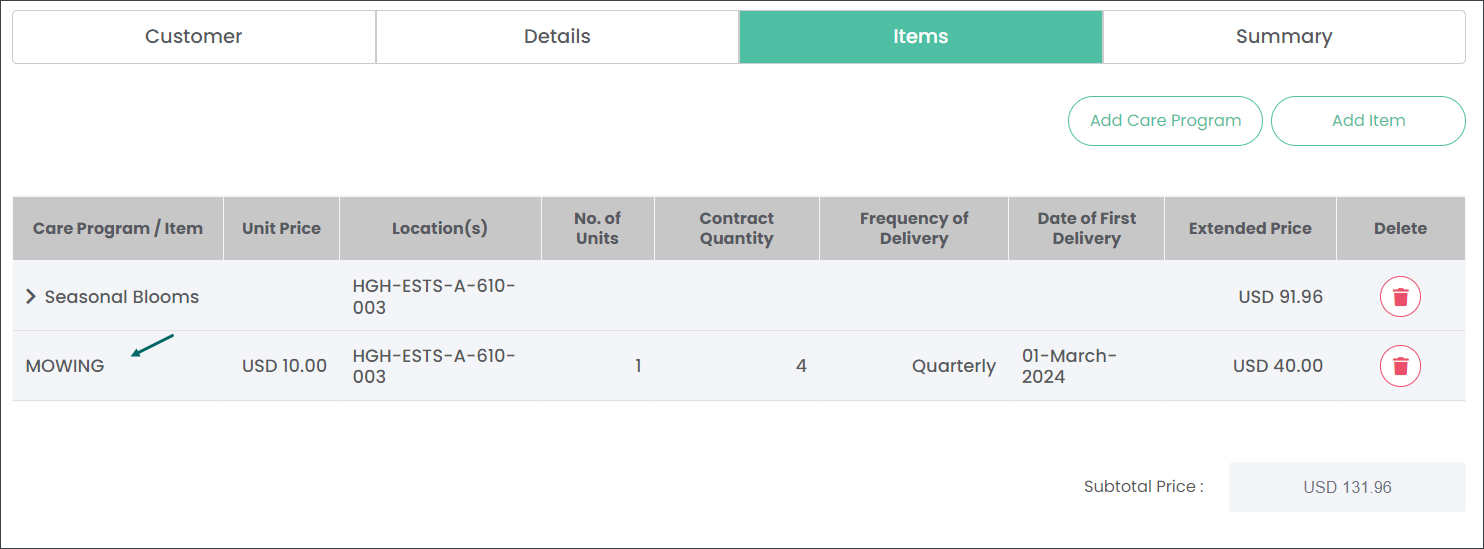
Navigate to the Summary section to view all details of the Contract.