Act as an Agent
If the Act as an Agent is enabled and the customer would like to use opuspay for payment processing in byondcloud, opuspay will be setup by the OpusXenta administrator using the OpusXenta Merchant Account and Merchant ID.
The OpusXenta administrator will setup a new sub account under the OpusXenta Merchant Account in opuspay to support processing payments using OpusXenta’s Merchant ID. The sub account will be named according to the customer’s registered byondcloud account name.

Enabling the Act as an Agent functionality will streamline the opuspay initial set-up process. Whole configuration will be auto-loaded into the customer’s byondcloud from the OpusXenta Admin Portal.
The Act as an Agent will also eliminate the customer's need to use and monitor their Merchant Portal, that comes with opuspay. OpusXenta will mange the customer's account using OpusXenta Merchant ID.
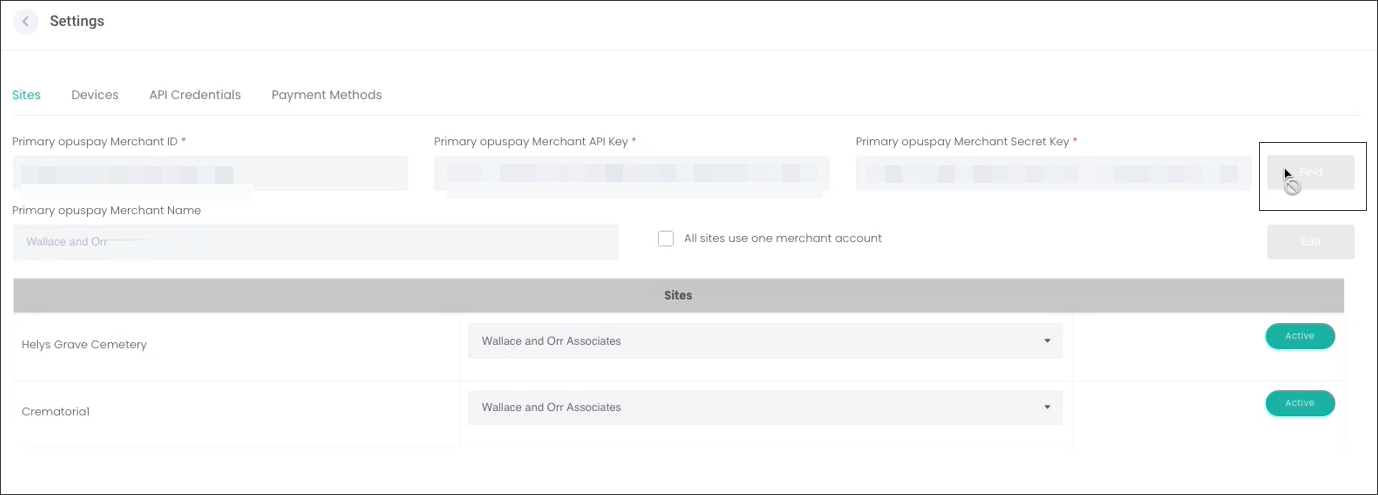
opuspay Settings page in the customer's byondcloud will be available to the customer in view only mode, as they will not need to make any changes or trouble shooting from their byondcloud instance.